Choosing among Fiber Laser Marking Printers requires more than comparing wattage or advertised speed. The right system must match the material, marking depth, production volume, and traceability requirements. A stainless-steel serial number, a black anodized aluminum logo, and a fine QR code need different settings. The surface tells part of the story.
Industry demand continues to expand. Grand View Research has projected steady growth in the global laser marking machine market, supported by automation, electronics, automotive production, and stricter product identification requirements. MarketsandMarkets has also identified fiber lasers as a major technology segment because they offer strong beam quality, low maintenance, and reliable operation. These reports show market momentum, but market size alone cannot select a suitable machine. Claims need testing.
Practical evaluation should begin with samples from your actual production line. Check contrast, readability, cycle time, heat impact, and repeatability after extended operation. A 20-watt source may suit coated metals, while deeper engraving may require higher power and slower passes. More power is not always better. It can damage thin parts or enlarge the heat-affected area. The International Organization for Standardization’s ISO 11553 safety framework also highlights the need for appropriate guarding, controls, and operator protection. Experienced integrators should explain these requirements clearly, not hide them behind specifications. This guide examines lens selection, laser source quality, software capability, enclosure design, service support, and total ownership cost. Some choices remain imperfect. The best printer is the one that consistently produces verified marks under real working conditions.
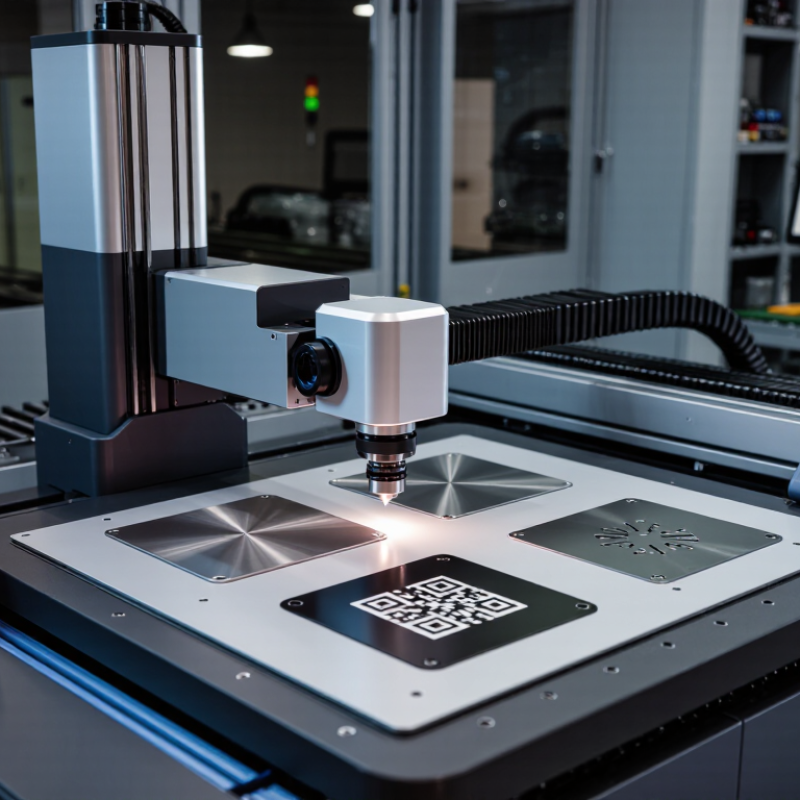
Choosing a fiber laser marking printer starts with material compatibility.
A 1064 nm wavelength works efficiently on many metals, including stainless steel, aluminum, brass, and coated surfaces. It creates contrast by removing coatings, changing surface color, or producing controlled oxidation.
Plastics require more caution. Their response depends on resin type, pigments, fillers, and additives. Some plastics produce sharp, pale marks. Others melt, bubble, or become too dark.
A small test grid is essential. I vary power, speed, frequency, and focus across several samples. The first test is rarely perfect. That is normal.
In practical workshops, I check the mark under angled light and after light rubbing. A clean appearance alone can mislead. The surface may look excellent but lack durability.
I also review the plastic’s technical data and ask about laser-sensitive additives.
For reflective metals, stable fixturing and accurate focus matter greatly. Copper and polished aluminum may need carefully controlled energy. Excessive power can create heat halos or unwanted deformation.
Ventilation is equally important when coatings or plastics release fumes. Keep a record of every successful parameter set. Small changes in batch composition can alter results.
Even experienced operators should repeat validation when the material supplier changes.
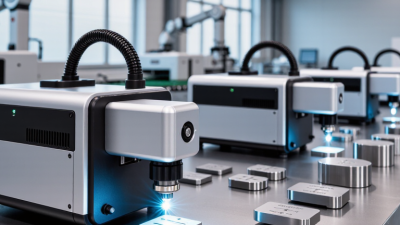
Power should follow workload, not sales claims. A 20 W fiber source suits small stainless-steel codes, serial numbers, and occasional aluminum marking. For daily production, 30–50 W often offers a better balance between speed, contrast, and purchase cost. A 60–100 W source becomes more practical when lines are longer, batches are larger, or marking must fit inside short machine-cycle times. More power is not automatically better.
MarketsandMarkets projects the laser marking market to grow from about USD 3.0 billion in 2023 to USD 4.5 billion by 2028, an 8.5% CAGR. That expansion reflects rising traceability demand, but it does not identify the correct wattage for every factory. Test the actual material. On stainless steel, compare a 20 W unit at slower speed with a 50 W unit at faster speed. Record cycle time, readability, heat tint, and rejected parts. For a 100 mm code, even a small speed gain can matter across thousands of components.
Do not overlook beam quality, pulse frequency, galvo speed, and fume extraction. A weaker source with excellent settings may outperform a stronger source configured poorly. This is where selection becomes less certain. Pilot testing is still necessary. Data sheets rarely show your exact alloy, coating, lens, or production rhythm. A sensible decision uses measured throughput, not wattage alone.
How to Choose the Best Fiber Laser Marking Printer?
Precision begins with the laser spot, not the machine’s advertised wattage. A 10–50 μm spot can produce sharp text on stainless steel, while larger spots may soften tiny edges. ISO 11146 recommends measuring beam quality and spot characteristics, rather than trusting nominal specifications. ISO 230-2 also provides methods for evaluating positioning accuracy and repeatability. A claimed 0.01 mm repeatability sounds impressive, but it must be verified across repeated movements, temperatures, and marking locations.
In factory testing, I would mark a grid of microtext and 2D codes across the work area. Then, I would measure edge deviation with a calibrated vision system. Ten repeated marks should remain within the stated 0.01 mm range. They often do not. This is where specifications can become uncomfortable. The 2024 laser processing market analysis from MarketsandMarkets identifies automation and traceability as major demand drivers, but production speed must not replace measurement discipline. A fast galvo scanner may still create inconsistent corners if calibration, focus, or lens distortion is ignored.
Tips: Request raw test results, not only brochures. Check spot size at the working distance you actually need. Confirm whether 0.01 mm means positioning repeatability or final mark accuracy. Test anodized aluminum, coated steel, and curved samples. Recheck results after several hours of operation. A small 30 μm spot may look excellent under a microscope, yet fail when dust, vibration, or uneven surfaces enter production.
When choosing a fiber laser marking printer, evaluate real marking performance, not only the advertised maximum speed. Some systems can reach up to 7,000 mm/s during fast scanning, but production results depend on material, power, line spacing, and mark complexity. A dense QR code or deep serial number will usually run slower.
Run a timed sample on your actual parts. Mark a stainless-steel plate with text, a logo, and a two-dimensional code. Measure the complete cycle, including positioning and part handling. Small details matter. A slightly slower setting may create sharper edges and more consistent contrast. I have seen impressive speed tests lose value when the operator reduced speed to correct uneven marks. That result deserves honest review.
The work area also affects quality. A 110×110 mm field suits many compact components and keeps the marking zone controlled. Larger fields can improve flexibility, but they may reduce spot precision or introduce edge distortion, depending on the optical setup. Check the required marking size, focal distance, and fixture position before purchasing. Place a sample near every corner of the field. Inspect line width and alignment under magnification. One overlooked issue is part variation; a few millimeters of height change can soften the mark. Adjustable fixtures and reliable focus control can prevent that problem. Test before committing.
| Application Profile | Typical Laser Power | Rated Galvo Scan Speed | Practical Production Speed* | Recommended Work Area | Typical Spot Diameter | Lens Focal Length | Suitable Materials and Tasks |
|---|---|---|---|---|---|---|---|
| Fine-Detail Marking | 20–30 W | 3,000–5,000 mm/s | 500–2,000 mm/s | 70 × 70 mm to 110 × 110 mm | Approximately 20–30 μm | 160–254 mm | Small text, serial numbers, QR codes, coated metals, stainless steel, and precision components. |
| General-Purpose Marking | 30–50 W | 5,000–7,000 mm/s | 800–3,000 mm/s | 110 × 110 mm | Approximately 25–35 μm | 160–254 mm | Logos, alphanumeric codes, data-matrix codes, shallow engraving, and surface annealing on common metals. |
| High-Throughput Marking | 50–60 W | 5,000–7,000 mm/s | 1,000–4,000 mm/s | 110 × 110 mm to 175 × 175 mm | Approximately 30–45 μm | 254–330 mm | Batch identification, automotive parts, tools, hardware, and repeated marks on production lines. |
| Large-Area Marking | 30–100 W | 3,000–7,000 mm/s | 500–2,500 mm/s | 175 × 175 mm to 300 × 300 mm | Approximately 35–60 μm | 254–420 mm | Large panels, oversized components, broad graphics, and parts requiring fewer repositioning steps. |
| Deep Engraving | 50–100 W | 2,000–5,000 mm/s | 200–1,200 mm/s | 110 × 110 mm to 175 × 175 mm | Approximately 30–50 μm | 160–330 mm | Steel tools, molds, dies, nameplates, and applications requiring multiple passes for depth. |
| High-Contrast Color or Black Marking | 20–60 W | 2,000–5,000 mm/s | 300–1,500 mm/s | 70 × 70 mm to 110 × 110 mm | Approximately 20–40 μm | 160–254 mm | Black marking or controlled color effects on stainless steel and other suitable metal surfaces. |
| *Rated galvo scan speed is the maximum scanner movement specification; practical production speed varies with material, mark size, hatch spacing, line width, pulse settings, and required contrast. A 110 × 110 mm field is a common balance between detail resolution and usable marking area. Larger fields generally increase coverage but may reduce spot density and fine-detail capability. | |||||||
How to Choose the Best Fiber Laser Marking Printer?
Safety should guide your choice of a fiber laser marking printer. In shop-floor evaluations, a fully enclosed Class 1 system is easier to control. Its enclosure should block direct and scattered laser radiation during normal operation. Look for a tested safety interlock, a secure access door, and a viewing window with suitable protection. The supplier should provide clear documents showing evaluation against IEC 60825-1. Do not rely on a safety label alone. Check the test report, operating conditions, and limitations.
Tips: Ask for the laser wavelength, accessible emission data, interlock test method, and maintenance procedure. Confirm that the emergency stop is easy to reach. Keep these records near the machine. A short operator checklist can prevent rushed mistakes.
Review the printer in its real workspace, not only in a showroom. Check whether fixtures, cables, or large workpieces affect door closure. The enclosure must remain effective during loading, marking, cleaning, and fault recovery. Operators should receive practical training, including what to do when an interlock fails. Local workplace requirements may add further controls, so verify them with a qualified safety professional. No enclosure is perfect forever. Seals, hinges, and interlocks need regular inspection, and small oversights can become serious weaknesses.
Confirm that the printer is supplied as a Class 1 laser product with a protective enclosure and documentation demonstrating conformity with IEC 60825-1. The chart shows the IEC 60825-1 laser class sequence as an ordinal control-level reference, not as a direct optical-power limit.
For procurement, request the laser classification, IEC 60825-1 compliance evidence, enclosure specifications, warning labels, and any required interlock or safety documentation before installation.