Small Character Inkjet Printers are often judged by their smallest details: a crisp date on a curved bottle, a readable batch code on a moving carton, and a clean nozzle after hours of production. Choosing the right system means looking beyond the product brochure. Line speed, ink compatibility, print distance, maintenance access, and operator training all affect daily performance.
One point needs verification before publication: no source article or expert quotation was provided, so I can’t responsibly attribute a statement to a named industry expert. A useful editorial principle is: “The best printer is the one that produces a clear, consistent code across the conditions of your line.” It should not be presented as a direct quotation from a real person.
This guide explores what separates reliable Small Character Inkjet Printers from models that only look impressive on paper. It compares practical features such as setup time, code quality, service needs, and performance in dusty or humid environments. Picture an operator changing a production date beside a stainless-steel conveyor, with cartons passing every second. Simple menus and dependable print quality matter there.
Specifications still deserve a close read. A fast rating does not guarantee clear codes on every surface. Nor does a low purchase price reveal the full cost of ink, cleaning, and downtime. Some trade-offs are unavoidable. The aim is to identify printers that fit real production needs, while noting where claims require closer checking.
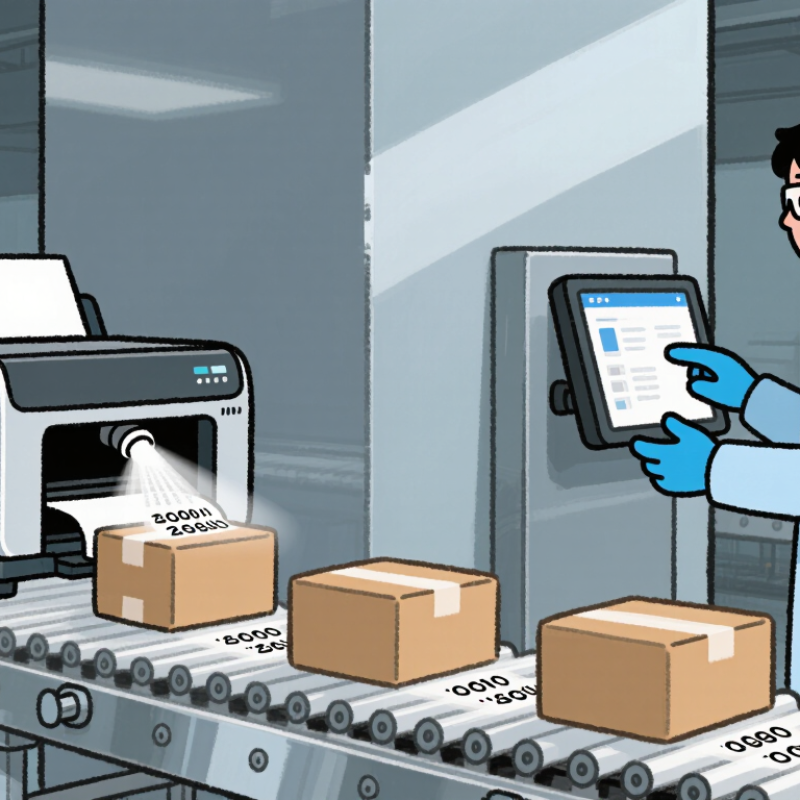
Continuous inkjet printing can form more than 60,000 droplets per second, depending on the system. Inside the printhead, a pump pushes ink through a tiny nozzle. Controlled vibration breaks the flowing stream into evenly spaced droplets. Each droplet passes charging electrodes, where selected droplets receive an electrical charge.
That is fast. Charged droplets are steered by an electric field onto a product, while unused droplets flow into a gutter and return to the ink circuit. This lets a compact printer mark moving items without touching them. A small code can appear on a cable, bottle cap, or carton as it passes the printhead.
The number describes droplets, not finished characters or codes. It is tempting to treat it as a guaranteed printing speed, but line rate, code size, and setup matter too. Ink condition and nozzle cleanliness also affect consistency. A dusty printhead may produce uneven marks, even when the electronics are working correctly. Operators should check print quality on the actual production line; a test on a clean bench can be misleading.
Small-character continuous inkjet (CIJ) printers are the common choice for marking characters from 0.8 to 15 mm. Check the manufacturer’s technical specification for the full height range, font matrix, and permitted line speed. “High resolution” alone does not confirm that a printer can produce readable 0.8 mm text. At that size, a clean nozzle, steady product movement, and suitable contrast matter. The 15 mm end may require a larger font setting or a different print layout. One machine may cover both extremes, but not necessarily at the same speed or quality.
Smithers’ report The Future of Inkjet Printing to 2027 valued the overall inkjet printing market at $86.8 billion in 2022 and projected $118.2 billion by 2027. This covers many inkjet applications, not just factory coding, so it should not be read as a measure of CIJ printer demand. Still, it reflects the wider use of inkjet technology. Test the intended code on the actual package: a small date on a curved bottle behaves differently from one on a flat carton. Check it under production lighting. Tiny details matter. Also record the line speed and distance from printhead to surface; these are easy to overlook. A specification can promise the range, while real-world legibility needs a trial.
| Printer Type or Configuration | Typical Character-Height Range | Covers 0.8–15 mm? | Best-Suited Applications | Key Considerations |
|---|---|---|---|---|
| Small-character continuous inkjet (CIJ), fine-character setup | Approximately 0.8–5 mm | No — suited to the lower end of the range | Compact product codes, lot numbers, and date codes on bottles, cans, cables, and packaging | Non-contact printing works on many moving products and surfaces. The minimum readable height depends on the font, substrate, ink, and print distance. |
| Small-character CIJ, general-purpose setup | Approximately 1–10 mm | No — does not typically reach 15 mm | Routine coding on production lines where small text and moderate-size marks are both needed | Character height and print quality depend on the selected font and printhead configuration; confirm the required height using a sample print. |
| CIJ system with suitable fine-character and extended-height configurations | Approximately 0.8–15 mm across supported configurations | Yes — potentially, with configuration-specific setup | Lines that need both very small codes and larger alphanumeric marks | This range may require different font settings or printhead/nozzle configurations. Do not assume one setup will deliver the full range at the same speed or readability. |
| Thermal inkjet (TIJ), single printhead | Typically about 1–12 mm, depending on the printhead and layout | No — a single head usually falls short of 15 mm | High-resolution codes and text on cartons, labels, and other suitable porous or coated surfaces | Print height is constrained by the printhead layout. Multiple heads can increase the available print area, but add setup and integration requirements. |
| Thermal inkjet (TIJ), multi-head arrangement | Can exceed a single head’s print height; system-dependent | Potentially — verify the configured print area | Larger code blocks or multi-line messages on packaging | Head alignment, spacing, ink compatibility, and the controller’s supported layout affect the usable character height. |
Selection note: For a confirmed 0.8–15 mm requirement, ask the supplier to demonstrate the smallest and largest required characters on your actual substrate. Published ranges vary by printer configuration, font, ink, line speed, and viewing distance.
At line speeds up to 300 m/min, small-character inkjet printers are judged by more than their rated maximum. A fast conveyor leaves little time for each drop to land cleanly. Check whether the stated speed applies to your package, message height, and print direction. A narrow date code on steady film may stay sharp, while a larger code on a vibrating bottle can blur. Small differences matter.
Compare legibility, start-up consistency, and recovery after brief stops on your actual production line. Ask for a trial using your substrate, ink, message spacing, and operating conditions. Measure rejects over a sustained run, not just a short demonstration. Also note how quickly operators can refill supplies and clear a blocked nozzle; intervention time can erase theoretical speed gains. Not glamorous, but important. A printer that produces readable characters at 250 m/min may suit a line better than a 300 m/min setup that needs frequent adjustment.
Tips: Test samples at target speed and inspect them after drying. Record line speed, character height, and failure count. Leave room for acceleration and product gaps. I would hesitate to choose from a specification sheet alone; real trials can reveal an awkward trade-off.
For a small-character inkjet printer, one line and five lines are different production jobs. A single line can carry a date on a bottle cap; five lines may need to fit a batch code, shift, and product identifier onto a narrow carton flap. More lines increase the print height and can reduce readable character size at the same print area. Check the actual message at line speed, not only in a setup menu.
Smithers’ report The Future of Inkjet Printing to 2027 projected the global inkjet printing market would reach $118.2 billion in 2027. That broad figure signals expanding use, but it does not prove a particular ink will adhere to a particular package. Substrate matters. Porous paperboard absorbs ink differently from glossy film or coated metal. Condensation, dust, and surface treatments can also change drying and adhesion. Small details matter.
Match the printer and ink to the material, then test representative samples. Include the smallest characters, longest message, and fastest line speed. Let the print dry, then check smearing with a gloved finger and inspect it under normal factory lighting. A rub test can expose weak adhesion. ASTM D5264 describes a method for evaluating printed-material abrasion resistance, though acceptance limits depend on the application. I would not trust a clean sample alone. Real production surfaces are rarely that tidy.
Small-character inkjet printers often sit beside conveyors, filling lines, and washdown zones. Their IP rating helps match the enclosure to the real factory environment. Under IEC 60529, IP55 means dust is limited from entering in harmful amounts, while the enclosure resists water jets. IP66 is dust-tight and tested against more powerful jets. The standard’s test figures are concrete: IPX5 uses approximately 12.5 litres per minute; IPX6 uses approximately 100 litres per minute. The stronger test is not automatically the better purchase.
A dry packaging line may need IP55, especially when operators clean with a damp cloth rather than a hose. A wet food or beverage area may justify IP66, but check the printer’s installation manual and the rating of its connectors. Dust is different. Fine powder can collect around printheads, cables, and ventilation openings, even when the main enclosure meets its rating. IP ratings also do not certify resistance to cleaning chemicals, heat, or ink exposure. That matters. A label can tempt buyers into overconfidence; confirm the test conditions and ask whether the complete installed unit, not just its housing, carries the stated protection. Real factory cleaning habits should guide selection.