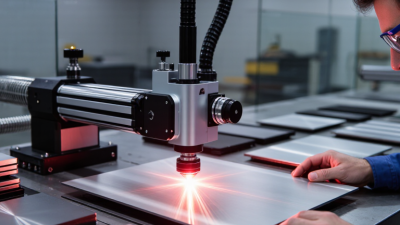
What Are the Top 10 Carbon Dioxide Laser Printers?
Choosing among the top 10 Carbon Dioxide Laser Printers requires more than comparing advertised wattage. These systems can mark cardboard, wood, glass, plastics, coated metals, and packaging films with impressive speed. Yet performance changes with material, line speed, ventilation, lens selection, and production conditions. A printer that creates sharp black codes on cardboard may struggle with glossy film or heat-sensitive plastic.
This guide examines ten leading options through practical, measurable criteria. We consider marking clarity, laser power, software usability, conveyor integration, maintenance needs, safety features, and long-term operating costs. Manufacturer specifications provide a useful starting point, but real production feedback often reveals more. Faded characters, difficult calibration, or expensive replacement parts can quickly change the buying decision.
Details matter.
The comparison also considers compliance documentation, enclosure design, extraction requirements, and service support. These factors protect operators and reduce avoidable downtime. However, no ranking can fit every factory. A small packaging workshop may value compact design, while a high-speed beverage line may require stronger integration and continuous cooling. Some conclusions remain imperfect because materials and workflows differ widely. Readers should test samples before committing to equipment. A controlled trial can expose issues that brochures rarely mention. This overview aims to offer a balanced, evidence-informed starting point for selecting Carbon Dioxide Laser Printers with greater confidence.
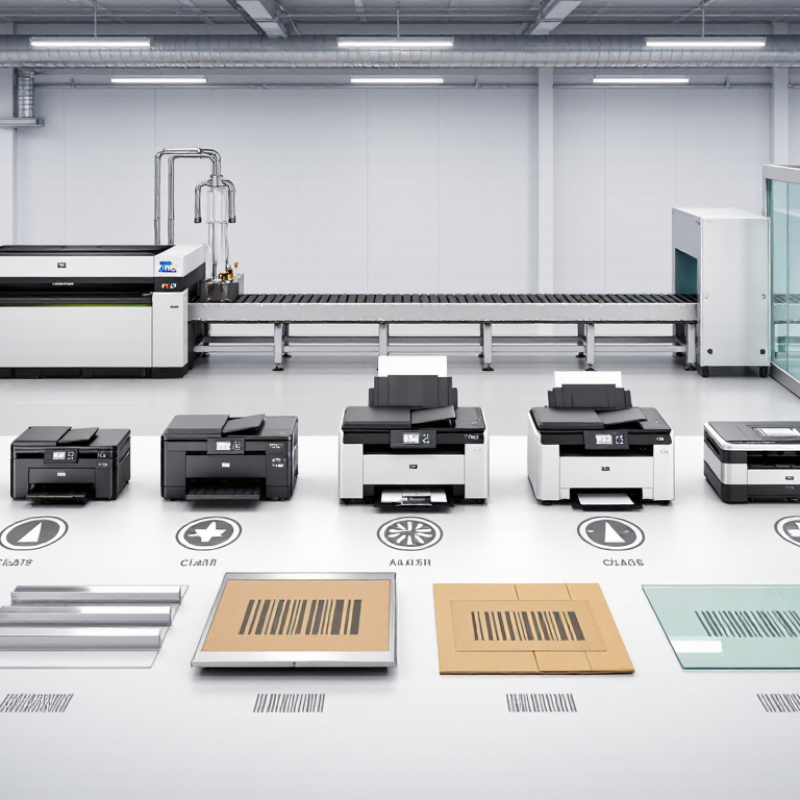
What Is a Carbon Dioxide Laser Printer?
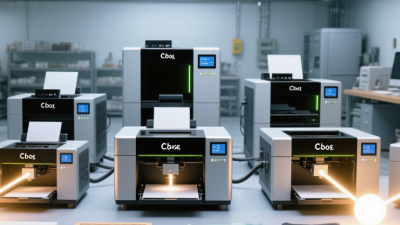
When people search for the top 10 carbon dioxide laser printers, they may expect ordinary office equipment. The term is slightly misleading. A carbon dioxide laser printer is an industrial marking, engraving, or cutting system that uses a sealed gas laser as its energy source. The laser commonly produces infrared light near 10.6 micrometers. This wavelength heats selected surfaces without physical contact.
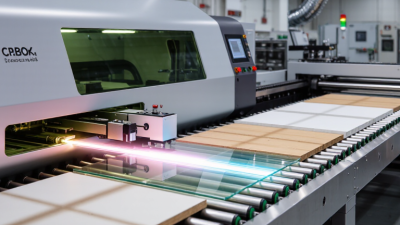
The beam travels through mirrors or a guided optical path before reaching a focusing lens. Software controls its movement, speed, power, and pulse pattern. Materials such as cardboard, wood, paper, acrylic, rubber, and coated glass often respond well. The result may be a dark mark, a shallow engraving, or a precise cut. Details depend on surface color, moisture, coating thickness, and machine calibration. Small differences matter.
A practical mistake is judging every machine by maximum power. Lower power can produce cleaner text on thin packaging. Higher power may create scorching, melting, or uneven edges. Ventilation is essential because heated materials can release irritating fumes. Enclosed designs, interlocks, extraction systems, and trained operation reduce avoidable risks. The operator should also check material compatibility before testing. Clear plastics and reflective surfaces can behave unpredictably. The label “printer” does not explain everything. It describes the output, not the process. A careful comparison should examine resolution, working area, cooling, software control, maintenance needs, and verified safety documentation. Some specifications look impressive, yet real results may remain disappointing without proper focus and calibration.
What Are the Top 10 Carbon Dioxide Laser Printers?
Carbon dioxide laser printers are non-contact systems that use an infrared CO₂ laser, commonly operating at a wavelength of 10.6 micrometers, to cut, engrave, or mark non-metallic materials. The chart shows representative laser-power levels commonly used for different applications.
Power requirements vary with material density, thickness, cutting speed, focal length, and the desired marking depth. Metals generally require specialized coatings or different laser sources because standard CO₂ wavelengths are poorly absorbed by many bare metals.
How CO₂ Laser Printing Technology Works
The term “CO2 laser printer” can mislead. Most are laser marking or engraving systems, not ink printers. They use a sealed tube containing carbon dioxide, nitrogen, and helium. Electrical energy excites this gas mixture. It produces invisible infrared light, commonly near 10.6 micrometres. Mirrors guide the beam toward a focusing lens. At the focal point, the energy becomes intense heat. Materials respond differently.
On wood, cardboard, acrylic, and leather, the beam may darken, char, melt, or vaporise the surface. Coated materials can reveal a lower layer when the coating is removed. Software converts text and images into raster lines or vector paths. Raster mode scans like a television. Vector mode follows outlines. Air assist clears smoke and reduces flame risk. Extraction removes fumes. Focus matters. A slightly incorrect lens height can create fuzzy edges or uneven depth.
When comparing the top ten CO2 laser printers, inspect tube power, bed size, motion accuracy, cooling, software, and service documentation. Higher wattage is not automatically better. It may cut faster but erase fine details. Advertised speed rarely matches complex artwork. That deserves scrutiny. A small power-and-speed test grid can reveal scorching, incomplete cuts, and uneven edges. Material variation still causes surprises, even with careful settings.
What Criteria Define the Top 10 CO₂ Laser Printers?
The top 10 CO₂ laser printers should be judged by measurable performance, not impressive specifications alone. A strong evaluation begins with material compatibility. The 10.6-micrometer wavelength works well on wood, acrylic, paper, leather, fabric, and many coated surfaces. It is generally unsuitable for bare metals without specialized treatment. That detail matters.
Power selection must match the workload. A compact 40-watt system may handle nameplates and thin acrylic, while higher power supports thicker materials and faster production. However, excessive power can scorch edges, deform plastic, or waste energy.
Cutting speed, engraving resolution, repeatability, and acceleration should be tested using the same sample file. Small text should remain readable at normal viewing distance.
Reliability also defines the leaders. Look for stable cooling, consistent beam alignment, durable motion components, and accessible replacement parts. A machine that performs perfectly for one hour may struggle during a full production shift. Ventilation deserves equal attention, because smoke can reduce optical clarity and create unpleasant working conditions. Safety interlocks, enclosed operation, emergency stopping, and clear operating instructions are essential, not optional extras.
Software compatibility affects daily efficiency. Common file formats, adjustable speed and power settings, and predictable previews reduce operator errors. Total ownership cost should include lenses, mirrors, cooling equipment, ventilation, maintenance, and downtime. I would also examine service documentation and warranty terms. My own ranking would not rely on one demonstration; real-world results can vary with humidity, material density, and operator experience. That uncertainty deserves honest consideration.

 Send Email
 18929582815