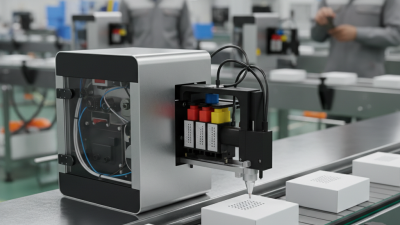
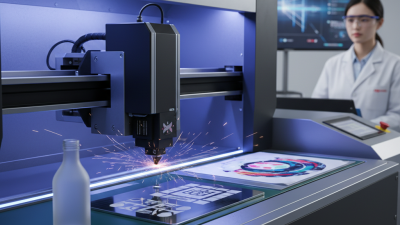
Choosing Carbon Dioxide Laser Printers requires more than comparing wattage and purchase prices. The right system must match the material, production speed, marking depth, ventilation design, and maintenance capacity. Packaging lines often mark paper, coated films, glass, wood, and selected polymers. Each surface reacts differently under a focused infrared beam. A clean mark on a matte carton may become excessive heat on a thin plastic film.
Industry data supports careful evaluation. Grand View Research reports that the global industrial laser market was valued at approximately USD 6.2 billion in 2023, with continued growth expected through the decade. MarketsandMarkets also identifies automation, traceability, and non-contact processing as major drivers in industrial laser adoption. These reports cover broader laser applications, not only Carbon Dioxide Laser Printers. That distinction matters. Market figures can sound impressive, yet they may not predict your factory’s actual return.
A practical selection process should examine wavelength compatibility, lens options, coding software, enclosure safety, and after-sales support. The laser source is important, but it is not the whole machine. Ask for sample tests using your real carton, film, or wooden component. Check the mark after abrasion, humidity, and conveyor vibration. Small details matter. A readable date code can still fail if it disappears during distribution.
Energy consumption and service intervals also deserve attention. Some suppliers emphasize maximum marking speed, while overlooking setup losses and rejected products. That feels incomplete. Buyers should compare total cost of ownership, including filters, spare parts, training, downtime, and compliance documentation. Reports from MarketsandMarkets and Grand View Research provide useful market direction, but hands-on validation remains essential. The best Carbon Dioxide Laser Printers are not simply powerful; they are stable, compatible, serviceable, and suited to the exact production environment.
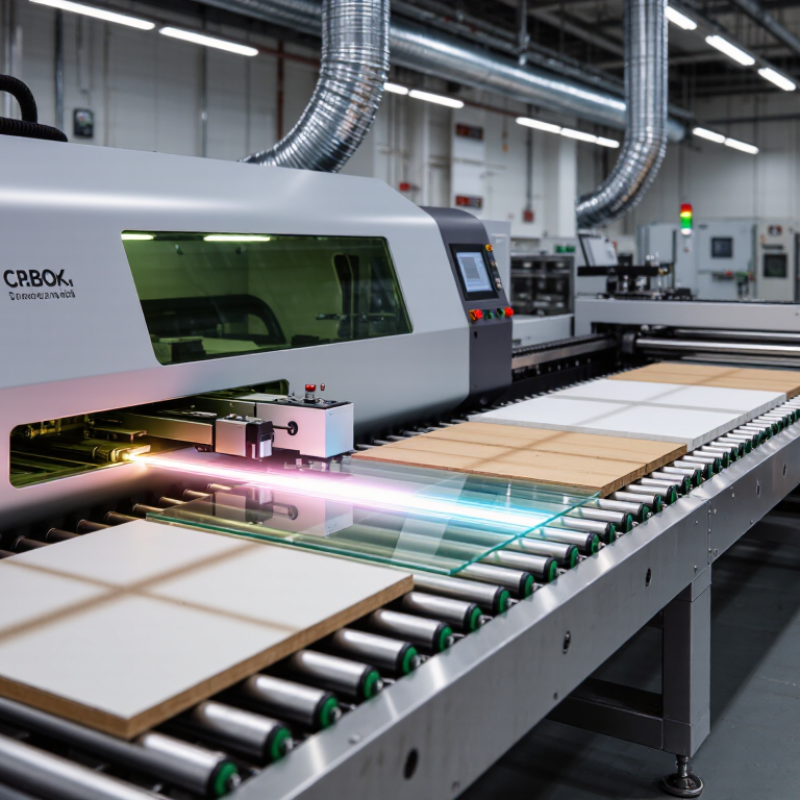
Carbon dioxide laser printers use an infrared beam, usually near 10.6 micrometres, to mark or cut suitable surfaces. The beam heats the material without physical contact. On coated films, paper, wood, glass, and some polymers, this heat creates contrast through controlled ablation or surface color change. The process is fast and clean. It also avoids ink, solvents, and drying time.
A sealed gas tube generates the laser energy. Mirrors guide the beam toward a focusing lens. Software then moves the beam across each character or code. Spot size, focal distance, power, and speed determine the result. A 2024 Grand View Research report estimates the laser marking machine market will continue expanding through 2030, driven by traceability and automated production. That growth does not guarantee every CO2 printer fits every line. Reflective metals usually need another laser wavelength. Material testing remains essential.
Tips: Start with samples from your real production batch. Check contrast after abrasion, moisture, and heat exposure. Ask for measured marking speed, not only maximum speed. Confirm extraction performance and maintenance access. The wrong focal length can blur tiny text. I have seen attractive samples fail during continuous operation. That is a useful warning. Choose based on repeatability, safety controls, and total operating cost, not impressive demonstrations alone.
A CO₂ laser printer works best when the material absorbs its infrared wavelength. Wood, paper, cardboard, cork, and many acrylic sheets usually respond well. They can produce clean cuts, dark engravings, or smooth surface marks. Natural leather is also workable, but its finish may change with heat. Test a small corner first.
Glass can be engraved, although the result is often frosted rather than deeply cut. Some coated metals accept surface marking because the coating absorbs the beam. Bare metal usually reflects much of the energy and may require different equipment. Plastics demand more caution. Acrylic often gives polished edges, while PVC and unknown plastic mixtures can release hazardous fumes. Never process a material without checking its safety data.
Material thickness matters as much as composition. A dense wooden sheet may need slower movement or several passes. Excessive power can cause charring, melting, or uneven edges. Ventilation is essential, even with familiar materials. Keep a record of power, speed, focus, and air assistance for each batch. That record improves repeatability, but it will not replace testing. I have found that supplier descriptions can be incomplete, especially for coated or composite sheets. When the surface behaves unexpectedly, stop and reassess instead of forcing the setting. Waste a sample, not the entire project.
Choosing a carbon dioxide laser printer starts with the material, not the headline wattage. CO2 systems typically use a 10.6-micrometre wavelength, which suits paper, cardboard, glass, wood, coatings, and many polymers. A 20–30 W source is often sufficient for high-contrast coding. Higher power can support faster lines or deeper engraving, but it may create heat damage and darker edges. The 2024 MarketsandMarkets Laser Marking Market report forecasts steady growth through 2029, reflecting wider adoption in automated production. Growth does not mean every line needs maximum power.
Speed should be measured with real content. A short date code behaves differently from a dense logo or two-dimensional code. Ask suppliers to test your longest message at the required line speed. Printing speed also depends on character height, scan width, material color, and conveyor stability. Resolution matters when codes contain fine modules. ISO/IEC 13660 identifies attributes such as edge sharpness, uniformity, and defect visibility; these are more useful than quoting dots per inch alone. A readable code at moderate resolution beats a beautiful code that fails inspection.
Printing area is often underestimated. A larger marking window reduces repositioning, but it can lower energy density and increase scan time. Match the lens and field size to the actual product surface. Leave practical margins around curved edges. In production trials, operators sometimes select too much power and too wide a field. I have seen that choice reduce contrast, not improve it. A careful comparison should record watts, characters per second, contrast, reject rate, and maintenance time under identical conditions.
Comparing power, speed, resolution, and printing area
These bars show representative values for common CO₂ laser printer configurations. CO₂ systems typically operate at a wavelength of 10.6 μm. Higher power can support faster marking and deeper engraving, while higher resolution improves small text and fine graphics. A larger printing area is useful for larger products or multiple items per cycle, but it may require a larger optical system.
Values are typical engineering reference points rather than a specification for any particular product. Actual performance depends on material, lens selection, pattern density, and line quality requirements.
Choosing a carbon dioxide laser printer requires more than comparing output speed. Software should support accurate previews, adjustable power settings, file compatibility, and clear error messages. Permission controls are valuable when several operators share one machine. An audit trail can show who changed a setting and when. In practice, software demonstrations can look impressive, but confusing menus may slow production. Test the workflow with your real files before purchasing. Small details matter.
Safety features deserve equal attention. Look for a fully enclosed working area, door interlocks, emergency stops, and reliable ventilation or fume extraction. A visible status display should show whether the laser is active. Operators also need practical training, written procedures, and suitable protective equipment. Never assume an enclosure removes every risk. I have seen teams focus on speed and overlook blocked filters or poorly positioned exhaust ducts.
Tips: Ask for a maintenance schedule and service documentation. Check how easily staff can clean the lens, replace filters, inspect cooling systems, and verify alignment. Keep spare consumables available, but avoid storing unnecessary parts. Record unusual noise, weak marks, or overheating early. A simple logbook often reveals repeating faults. Keep it practical. If the software, safety controls, and maintenance access feel difficult during a demonstration, daily operation may become harder than expected.
Choosing a CO₂ laser printer starts with the material, not the advertised wattage. A 10.6 µm CO₂ source suits wood, paper, acrylic, glass, leather, and many coated plastics. Bare metals usually require another laser type or a compatible coating. MarketsandMarkets’ 2023 Laser Marking Market report forecasts an 8.5% compound annual growth rate through 2028. That growth reflects broad demand, but each application still needs careful testing.
Build your budget around total ownership. The machine price is only one line. Add extraction, air assistance, cooling, lenses, software, installation, and servicing. Grand View Research also identifies packaging, automotive, and electronics as important market sectors. Compare marks per minute, usable bed size, uptime, and warranty support. Request a test using your actual substrate. Small details matter.
For dusty wood, inspect residue around fine characters. For glass, check fracture risk and contrast under production lighting. Choose power conservatively. Excess energy can char edges, melt coatings, and increase rejects. I once treated higher wattage as a shortcut. It was not. A lower-power system may perform better when artwork changes often and batches remain small. Record sample settings, maintenance hours, and rejected pieces before approving the purchase. Data beats confident guesses.
Choosing a CO₂ Laser Printer for Your Application and Budget
| Application Requirement | Typical Materials | Recommended Laser Power | Typical Marking or Cutting Speed | Resolution and Mark Quality | Useful Features | Indicative Equipment Budget |
|---|---|---|---|---|---|---|
| Basic product marking | Paper, cardboard, coated wood, painted surfaces, selected plastics | 10–30 W | Marking: approximately 300–1,000 mm/s; cutting: generally limited to thin materials | Suitable for alphanumeric text, logos, barcodes, and simple graphics; practical spot sizes are commonly around 100–200 μm | Air assist, extraction connection, adjustable focus, USB or Ethernet control | Approximately US$2,000–US$6,000 |
| Packaging and label coding | Paperboard, labels, folding cartons, wood, glass, and some coated films | 20–60 W | Marking: approximately 500–1,500 mm/s, depending on contrast and line speed | Good for serial numbers, dates, batch codes, and 1D or 2D codes when contrast is sufficient | Photoelectric trigger, encoder input, conveyor integration, automatic focusing, fume extraction | Approximately US$5,000–US$15,000 |
| High-throughput production coding | Cardboard, wood, coated glass, ceramics, rubber, and approved polymer materials | 30–100 W | Marking: approximately 800–2,000 mm/s; actual throughput depends on code size and required dwell time | Designed for consistent contrast and repeatability rather than deep engraving | Industrial enclosure, conveyor synchronization, automated recipe management, remote diagnostics, safety interlocks | Approximately US$12,000–US$30,000 |
| Wood engraving and light cutting | Plywood, MDF, solid wood, veneer, cork, leather, paper, and cardboard | 40–100 W | Engraving: approximately 200–800 mm/s; cutting speed varies significantly with thickness and material density | Produces strong tonal contrast; fine detail depends on lens choice, focus, airflow, and material flatness | Honeycomb or knife bed, air assist, height-adjustable table, rotary attachment, high-capacity exhaust | Approximately US$4,000–US$15,000 |
| Thicker non-metal cutting | Wood, acrylic, rubber, fabric, foam, paper, and selected composites | 80–150 W | Cutting speed commonly ranges from 20–500 mm/min, depending on thickness, material, and edge requirements | Higher power improves productivity but does not automatically improve fine-detail resolution | Motorized Z-axis, air assist, water chiller, large working bed, strong extraction, material test library | Approximately US$10,000–US$35,000 |
| Large-format signage and panel work | Acrylic, wood sheets, cardboard, textiles, rubber, and other non-metal sheet materials | 80–200 W | Performance depends on bed size; multiple-pass cutting may be required for thicker sheets | Suitable for large graphics; fine detail can be affected by vibration, thermal distortion, and beam alignment | Large working area, pass-through design, automatic table, water cooling, high-flow exhaust, nesting software | Approximately US$15,000–US$50,000 |
| Glass and ceramic marking | Glass bottles, glass panels, glazed ceramics, stone-coated surfaces | 20–60 W | Typically slower than paper or wood marking; speed is selected to control heat and surface cracking | Creates a frosted or ablated appearance; test samples are essential for contrast and edge quality | Rotary axis, low-power control, pulse or speed adjustment, stable workholding, protective enclosure | Approximately US$6,000–US$20,000 |
| Plastic component coding | Material-dependent plastics, engineering polymers, coated plastic parts, rubber, and laminates | 20–60 W | Usually approximately 300–1,200 mm/s; power and speed must be matched to the polymer formulation | High contrast is possible on suitable plastics; some materials may melt, discolor, or release hazardous fumes | Fume filtration, material validation, vision inspection, rotary or multi-axis fixture, automated part detection | Approximately US$8,000–US$25,000 |
| Frequent daily production | Materials approved by the process test, including wood, paperboard, acrylic, glass, and selected plastics | 50–150 W | Chosen according to duty cycle, production takt time, and required number of passes | Requires stable beam delivery, repeatable focus, and routine alignment checks | Water chiller, sealed optical path, industrial controller, spare optics, preventive-maintenance schedule | Approximately US$15,000–US$45,000 |
| Occasional or small-business use | Paper, wood, leather, acrylic, cardboard, cork, and other verified non-metal materials | 30–60 W | Suitable for intermittent work and short production runs | Provides a practical balance between detail, cutting ability, operating cost, and learning curve | Compact enclosure, simple software, manual focus, air assist, basic water cooling, accessible replacement parts | Approximately US$3,000–US$12,000 |
Selection note: CO₂ lasers typically operate at a wavelength of approximately 10.6 μm and are generally suited to organic and non-metal materials rather than bare metals. Actual speed, power, edge quality, and operating cost vary with material composition, thickness, lens focal length, beam quality, cooling capacity, ventilation, and the required number of passes. Always perform a material test and verify the safety data before production use.