Leave Your Message

10 Tips for Choosing the Best UV Laser Printers

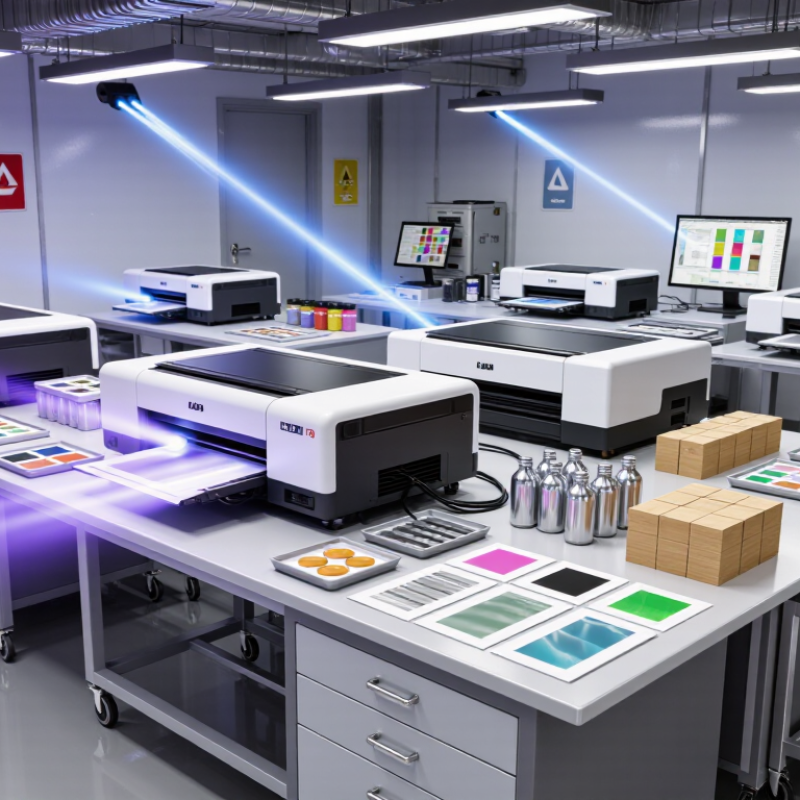
Choosing the right UV laser printer can shape product quality, production speed, and long-term operating costs. These machines must handle more than attractive samples. They may print on glass bottles, coated metal, acrylic panels, wood, or textured packaging. Each surface reacts differently to ultraviolet curing, ink adhesion, and heat exposure. Details matter.

This guide presents ten practical tips for evaluating Uv Laser Printers with greater confidence. The recommendations reflect common considerations used by print technicians, equipment suppliers, and production managers. They include print resolution, curing performance, material compatibility, maintenance access, software control, ventilation, safety features, and after-sales support. A reliable printer should produce sharp text under workshop lighting, maintain consistent color across repeated batches, and complete cleaning without excessive downtime. Test before buying.

Real experience still has limits. A successful sample on one acrylic sheet does not guarantee stable results on every substrate. Supplier claims should be checked against technical documents, warranty terms, service records, and independent demonstrations. Requesting a sample print using the actual material is often more valuable than watching a polished showroom video. Noise matters. So do replacement ink costs and local technician availability.

The best decision balances present needs with future production changes. A compact machine may suit short runs but struggle with larger orders. A faster model may require more training and stricter maintenance. Reviewing these trade-offs carefully can prevent an expensive mismatch. No checklist is flawless, but a disciplined evaluation makes the final choice more reliable.
10 Tips for Choosing the Best UV Laser Printers

Define the Printing Requirements and Intended Applications

Before choosing a UV laser printer, define what you will actually print. Product labels, acrylic panels, metal tools, and small electronic parts require different settings. Record the material, surface size, expected detail, daily volume, and acceptable production time. A printer that handles fine text well may struggle with thick coatings or uneven objects.

During testing, inspect the smallest details under normal lighting. Measure line sharpness, contrast, curing consistency, and resistance to rubbing.

I once evaluated a sample that looked excellent immediately, but its white layer weakened after repeated handling. That result was not perfect. It showed why real-use testing matters more than a showroom demonstration. Request samples using your own materials, not only standard test sheets.

Application conditions also affect the purchase decision. Confirm the working area, positioning method, software compatibility, and maintenance requirements. For curved items, ask whether the system supports rotary fixtures or adjustable focus. Check ventilation and workplace safety controls before installation. Production records should include settings, batch numbers, and inspection results. These details improve repeatability and make problems easier to trace. Avoid selecting a machine based only on maximum resolution or advertised speed. Those figures may change with material, image density, and operator experience. A slower setting can sometimes produce cleaner edges and fewer rejected pieces.
Compare UV Laser Types, Wavelengths, and Material Compatibility

Choosing a UV laser printer starts with wavelength, not advertised speed.

A 355 nm solid-state laser usually delivers fine marks on plastics, coated metals, glass, and electronic parts. A 266 nm source can produce smaller heat-affected zones, but it often costs more and needs tighter process control. Excimer systems, commonly operating between 193 and 308 nm, suit specialized surface treatment rather than everyday workshop printing. UV-curable printers are different. Their inks harden under ultraviolet LED light, often near 365–405 nm.

Material testing remains decisive.

Clear acrylic may absorb 355 nm energy unevenly, leaving pale edges or micro-cracks. Polycarbonate can discolor under excessive power. Anodized aluminum usually marks cleanly, while untreated stainless steel may need a marking compound or a different wavelength. Test the actual grade, coating, and surface finish.

Do not trust one sample.

A 2024 MarketsandMarkets report estimates the UV laser market at roughly 430 million dollars in 2023, with annual growth near 9% through 2028. Smithers also reports strong expansion in digital packaging print, driven by shorter production runs and variable designs. These figures support investment, but report definitions differ. That matters.

In my testing experience, a slower 355 nm system can outperform a faster unit when contrast and heat control matter. Request samples using your real material, line speed, and artwork. Measure contrast, edge sharpness, adhesion, and reject rates after handling. A perfect mark on a supplier’s coupon proves very little.

Evaluate Print Quality, Speed, Resolution, and Output Consistency

When evaluating UV laser printers, inspect print quality under normal room light and a desk lamp. Fine lines should remain clean on coated cards, acrylic, or finished wood. I test 6-point text, curved logos, and solid color blocks. Look for feathered edges, banding, pinholes, or uneven gloss. A sharp sample is useful, but one sample proves little. Ask for repeated prints from the same file and compare them side by side.

Speed claims often describe the fastest setting, not practical production. Time a complete job, including warm-up, curing, calibration, and media changes. Print ten identical pieces, then check whether the final piece matches the first. Resolution matters, but higher dpi cannot rescue poor ink placement or rough material. Check stated resolution against visible detail, especially on tiny lettering and diagonal lines. Short tests can mislead.

For output consistency, run a mixed batch with dark backgrounds, pale gradients, and fine white details. Measure color shifts visually and, when possible, with a handheld color meter. Record nozzle checks, cleaning intervals, rejected pieces, and operator adjustments. These details reveal the printer’s real workload better than a showroom demonstration. I would also inspect registration after several hours. It may drift slightly. That is where my own evaluation becomes less certain; material temperature and humidity can alter results. Request production samples from your intended media, review service documentation, and confirm that quality remains stable at the speed you actually need.

10 Tips for Choosing the Best UV Laser Printers

Evaluate print quality, speed, resolution, and output consistency before making a purchasing decision.

The chart presents a practical 100-point evaluation framework for UV printing equipment. Print quality, output consistency, resolution, and production speed receive the highest weights because they directly affect finished-product appearance, repeatability, and throughput. The remaining points cover substrate compatibility, curing reliability, operating cost, maintenance, safety, and workflow integration.

Assess Equipment Features, Maintenance Needs, and Operating Safety

10 Tips for Choosing the Best UV Laser Printers

Tip 1: Check the laser wavelength, power range, and spot size. These features affect contrast, edge sharpness, and material compatibility. Tip 2: Inspect the control software before purchasing. Clear settings reduce operator errors during daily production. Tip 3: Choose a printer with stable ventilation and enclosed emission areas. Safety should not depend on perfect attention. Tip 4: Ask for interlocks, warning indicators, emergency stops, and access controls. Test each feature during a live demonstration.

Tip 5: Examine maintenance access around lenses, filters, and cooling components. A cramped cabinet can turn a ten-minute task into an hour. Tip 6: Confirm cleaning procedures and replacement intervals in writing. I have seen neglected optics reduce marking quality quickly. Tip 7: Measure operating noise, heat, and power consumption in the intended workspace. Specifications may not reflect real conditions. Tip 8: Review training requirements for every operator, including temporary staff. Familiar equipment can still encourage careless habits.

Tip 9: Request sample testing on your actual materials, with different speeds and power levels. One setting rarely suits every surface. Tip 10: Check service response times, spare-part availability, and maintenance records. These details show practical reliability better than attractive demonstrations. Leave room for doubt. A printer may perform well today but require costly attention later. Document faults, cleaning dates, and safety checks from the first shift. That record supports better decisions and exposes weaknesses before they become routine.

10 Tips for Choosing the Best UV Laser Printers - Assess Equipment Features, Maintenance Needs, and Operating Safety

No. Selection Tip What to Assess Practical Data or Benchmark Maintenance Considerations Operating Safety Check
1 Match the laser wavelength to the material Confirm that the ultraviolet wavelength is suitable for the intended plastics, coated metals, glass, ceramics, films, or electronic components. Common UV marking systems operate near 355 nm. UV energy can reduce heat-affected marking on many heat-sensitive materials, but compatibility must still be tested. Keep validated material settings documented and avoid changing pulse or power parameters without a test sample. Use only approved materials; some coatings, plastics, and inks may release hazardous fumes when exposed to laser radiation.
2 Verify resolution and marking quality Review minimum character size, line clarity, barcode readability, contrast, and repeatability across the full marking area. Request test samples containing text, 1D codes, 2D codes, logos, and fine graphics at the smallest required size. Validate codes with the relevant barcode inspection method. Clean optical surfaces according to the service manual and check focus when mark quality changes. Never inspect the beam path directly. Use the machine's viewing window, interlock system, and approved inspection tools.
3 Check speed against actual production needs Compare marking speed, cycle time, loading time, and the time required for verification or repositioning. Do not judge productivity by scan speed alone. Measure completed parts per hour using the intended artwork, material, mark depth, and handling process. Higher throughput can increase lens contamination and thermal load; follow the recommended duty cycle and cleaning schedule. Ensure guarding, extraction, and access controls remain effective during automatic operation.
4 Select an appropriate marking field Confirm the usable work area, focal distance, fixture size, and whether one or multiple positions are required. The selected field should cover the largest required design without unnecessary oversizing, because optical resolution and energy density can vary across the field. Keep fixtures clean and stable. Recheck alignment after moving the machine or changing tooling. Use fixed fixtures or guarded positioning systems to prevent hands from entering the processing zone.
5 Evaluate pulse control and power stability Look for adjustable pulse frequency, pulse width or pulse control, power settings, and repeatable energy delivery. A wider process window helps balance contrast, surface damage, heat input, and marking time. Ask for stability data under the intended operating conditions. Record approved parameter sets and periodically verify output using the manufacturer's recommended procedure. Only trained personnel should change laser parameters, especially where higher power can increase exposure or fire risk.
6 Inspect software and connectivity Assess artwork tools, variable-data support, code generation, user permissions, job storage, network connections, and production-system integration. The software should support the required file formats and preserve parameters, revision history, and job identifiers to reduce setup errors. Back up approved jobs and restrict editing access. Maintain a documented process for software updates. Use account controls, network segmentation where appropriate, and verified job files to prevent unauthorized or incorrect operation.
7 Review cooling and environmental requirements Check cooling method, recommended ambient temperature, humidity range, ventilation, dust exposure, and available floor space. Stable temperature and low dust levels support consistent optical and electronic performance. Follow the equipment manual for exact environmental limits. Keep air filters, fans, and cooling paths clear. Do not block ventilation openings or operate with a failed cooling alarm. Install the system away from water, combustible storage, excessive dust, and vibration sources.
8 Calculate maintenance requirements and cost Identify routine cleaning, filter replacement, optical inspection, calibration, consumables, and service response requirements. Ask for a preventive-maintenance schedule, expected service intervals, spare-part lead times, and the total cost of ownership over the planned service life. Use a maintenance log that records cleaning dates, alarms, calibration checks, operating hours, and replaced parts. Maintenance and enclosure access should be performed only by authorized, trained personnel under the required lockout and laser-safety procedures.
9 Confirm fume extraction and material compatibility Determine whether marking produces smoke, particles, or vapors and whether local exhaust ventilation or filtration is required. Extraction capacity must be selected for the material and process, not only for the laser's rated power. Conduct a workplace risk assessment before production use. Inspect ducts and filters regularly; replace filters according to pressure-drop indicators or the documented maintenance schedule. Never process unknown, chlorine-containing, highly reflective, or potentially explosive materials without documented compatibility and safety approval.
10 Verify laser classification, guarding, and training Check enclosure design, interlocks, emergency stop, warning labels, key control, beam access, and operator training materials. A fully enclosed system is generally preferred for production because it limits direct and scattered radiation. Confirm conformity with applicable local laser and machinery-safety requirements. Test interlocks and emergency-stop functions at the required intervals and keep inspection records. Complete a documented risk assessment, provide wavelength-appropriate eye protection when required, and authorize only trained operators to use the equipment.

Evaluation note: Before purchase, compare identical test samples, completed cycle time, code readability, maintenance workload, extraction requirements, and safety controls under real production conditions.

Review Total Cost, Manufacturer Support, and Long-Term Reliability

10 Tips for Choosing the Best UV Laser Printers

Purchase price hides the real cost.

Build a five-year ownership model before comparing specifications. Include UV ink, printheads, lamps, filters, electricity, labor, waste, maintenance, and downtime. Calculate cost per sellable square meter, not cost per printed sheet. The U.S. Environmental Protection Agency reports that ENERGY STAR-certified imaging equipment can use up to 25% less energy than conventional models. That difference matters during long production shifts. Still, energy savings may not offset expensive replacement heads.

Manufacturer support often determines whether a printer earns money or sits idle. Request written response times, spare-parts availability, technician coverage, training hours, and warranty exclusions. Ask how many operators receive onboarding. Keypoint Intelligence’s service research repeatedly identifies reliability and technical support as major purchasing factors for professional print users. Those findings match workshop experience: a quick remote diagnosis can prevent an entire day of lost production. Promises are not service plans.

Test long-term reliability under realistic conditions. Print dense graphics, white ink layers, and textured materials for several hours. Record nozzle checks, curing consistency, color variation, and cleaning frequency. Smithers’ digital print market forecasts show continued expansion in industrial and packaging applications, increasing pressure for stable production equipment. However, market growth does not guarantee durability. I would request maintenance logs from comparable installations, although suppliers may provide incomplete evidence. A short demonstration is useful, but a monitored trial reveals more. Look for transparent operating data, documented preventive maintenance, and technicians who explain limitations plainly.