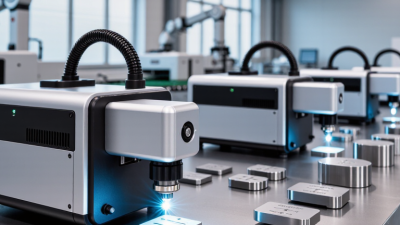
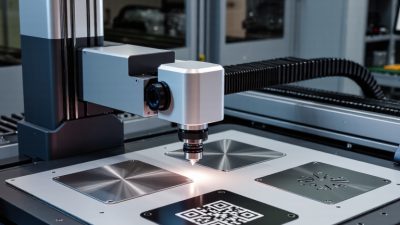
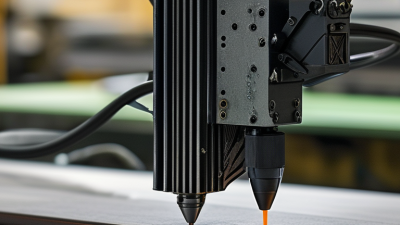
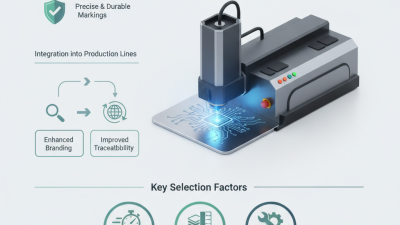
Choosing the right Fiber Laser Marking Printers can influence production speed, marking quality, and long-term operating costs. A suitable machine should match the material, product size, marking depth, and daily workload. Stainless steel, aluminum, coated plastics, and anodized surfaces may require different settings and laser performance. The details matter.
In practical manufacturing environments, clear marks must remain readable after handling, cleaning, heat exposure, or routine wear. Experienced operators usually examine wavelength, laser power, beam quality, marking speed, software control, and fume management before purchasing. A printer that performs well on a sample plate may behave differently during continuous production. Testing real products is essential. Small differences become expensive.
Reliable selection also depends on the supplier’s technical support, warranty terms, training, spare parts, and safety documentation. Professional manufacturers should explain expected service life and demonstrate repeatable results, rather than promise unrealistic performance. Independent certifications and documented test reports can strengthen confidence, but they should not replace hands-on evaluation. A lower purchase price is not always a lower total cost.
This guide explores how to compare Fiber Laser Marking Printers with a practical, evidence-based approach. It considers application requirements, machine configuration, maintenance demands, and workplace integration. No single model suits every factory. That is worth remembering. Careful testing may take extra time, yet it can prevent unstable marks, unnecessary downtime, and disappointing upgrades. Some recommendations may need adjustment as materials, volumes, or production goals change. A thoughtful decision leaves room for that reality.
A fiber laser marking printer is a non-contact system for creating permanent marks on metal and selected plastics. It uses a fiber-based laser source, scanning mirrors, a focusing lens, and control software. The beam heats a tiny surface area, producing annealing, engraving, or color change without ink or physical contact. Most systems operate near the 1,064 nm wavelength, which suits stainless steel, aluminum, brass, and coated components.
The process is fast, clean, and repeatable. However, “printer” can be misleading. It does not print like an office machine. Mark quality depends on pulse energy, frequency, lens size, focus, and material condition. The Laser Institute of America stresses that beam delivery and safety controls strongly influence reliable operation. MarketsandMarkets’ 2024 fiber laser report also identifies rising industrial automation as a major growth factor, though market forecasts should not replace application testing. I have seen specifications look impressive, yet poor fixturing ruined the result.
Tips: Test your actual part before buying. Check line width, marking depth, cycle time, and contrast. Ask for sample files, not only photographs. A 20-watt source may suit identification marks, while deeper engraving often needs more power. Include extraction, guarding, and operator training. ISO 11553-1 provides useful guidance for laser processing machine safety. Do not ignore maintenance. Dust on the lens can quietly reduce consistency.
How to Choose Fiber Laser Marking Printers: Which Materials and Marking Tasks Does It Support?
Fiber laser marking printers are strongest on metal surfaces. They mark stainless steel, aluminum, brass, copper, titanium, and coated alloys with sharp, permanent contrast. They also handle anodized aluminum and painted metal by removing the surface layer. Fortune Business Insights valued the global laser marking machine market at about US$3.3 billion in 2023, reflecting demand for traceability and automated production.
The process supports serial numbers, QR codes, Data Matrix codes, barcodes, logos, and small text. Higher-power systems can create deeper engravings for tools, machine parts, and identification plates. Controlled settings may also produce black annealing marks on stainless steel. Marking speed depends on material, lens size, line density, and required contrast. Faster is not always better.
Some plastics absorb the wavelength well, especially engineered polymers and dark components. Others melt, whiten, or produce weak contrast. Transparent glass, untreated wood, and many light plastics usually need different laser wavelengths or pretreatment. I would not trust a material chart alone. The International Organization for Standardization links reliable product identification to readable, durable marking, but real samples still require testing. This step exposes heat distortion, uneven color, and code-scanning problems before installation.
Fiber lasers are primarily selected for metal marking and for plastics that contain suitable laser-sensitive additives. The chart shows typical support for common marking tasks; 1 means commonly supported and 0 means not usually recommended.
Key takeaway: Stainless steel, aluminum, copper, brass, and anodized aluminum are common fiber-laser materials. Annealing is mainly associated with stainless steel, while plastic performance depends strongly on its formulation, color, and additives. Deep engraving generally requires higher power, multiple passes, and suitable process settings.
Choosing a fiber laser marking printer starts with the material, not the wattage. Stainless steel, aluminum, coated parts, and dark plastics absorb energy differently. In practical testing, a 20W source handled serial numbers well on small steel brackets. A 30W or 50W source reduced cycle time on deeper marks. More power is not automatically better. Excess heat can discolor edges, warp thin parts, or soften protective coatings. Check the required mark depth and line width before comparing machines. That detail is often missed.
Speed should be measured with the complete job, including positioning, focusing, and repeated passes. A scanner may advertise fast movement, yet slow acceleration can lengthen production time. Compare identical files with the same hatch spacing, frequency, and resolution. For example, a dense QR code may need slower passes to keep its tiny cells readable. I use a calibrated sample panel and inspect ten consecutive marks, not one perfect sample. Consistency matters more than a dramatic top-speed figure. Still, test it yourself. Production conditions can change, and my results may not match yours.
Marking quality includes contrast, edge sharpness, depth control, and long-term legibility. Use a loupe to inspect corners, then wipe the surface and test abrasion resistance. Lower power with multiple passes can produce cleaner detail than one aggressive pass. However, it usually costs more time. Ask for samples made from your actual material and record the settings used. Keep notes on power, speed, focus, and lens position. Small setup errors matter. I once judged a mark too quickly and missed slight edge roughness. Inspect twice.
How to Choose Fiber Laser Marking Printers?
Safety features should guide the purchase. Choose a fully enclosed cabinet, door interlocks, emergency stops, and visible warning indicators. IEC 60825-1 defines laser safety classifications and protective requirements. The 2023 BLS Employer-Reported Workplace Injuries and Illnesses report recorded about 2.6 million nonfatal private-industry cases in the United States. A marking printer cannot remove every workplace risk. I still find this step easy to underestimate. Check whether the enclosure suits your actual parts, fixtures, and production speed. An extraction port, filter-status alert, and accessible maintenance panels also matter. Keep evidence.
Software deserves equal attention. Look for permission levels, locked parameters, job previews, barcode verification, and automatic file backups. These controls reduce accidental changes during busy shifts. Verizon’s 2024 Data Breach Investigations Report found that the human element appeared in 68% of breaches. Networked marking equipment therefore needs secure accounts and controlled remote access. A clear audit trail can show who changed a marking file and when. Test the interface with operators, not only engineers. Some software looks powerful but becomes slow under pressure.
Tips: Ask for a live safety demonstration. Confirm interlock behavior with the supplier. Request maintenance records and consumable costs. Schedule lens cleaning, filter checks, and calibration by usage hours. Keep approved parameter files offline. Train operators to stop production when markings drift, even when deadlines feel urgent. Source: IEC 60825-1, BLS 2023, Verizon 2024 DBIR.
| Evaluation Area | Feature or Specification | What to Look For | Why It Matters | Suggested Priority |
|---|---|---|---|---|
| Safety | Laser classification and enclosure | A fully enclosed system designed to prevent normal access to the laser beam, with clearly stated laser classification and safety documentation. | Enclosure design is the primary control for preventing direct or reflected exposure during routine operation. | Essential |
| Safety interlock system | Interlocked doors or covers that stop laser emission when opened, together with a visible indication of the interlock status. | Interlocks help prevent emission when the protected marking area is accessible. | Essential | |
| Emergency stop and warning indicators | Easy-to-reach emergency-stop control, illuminated laser-status indicator, and clear warning labels. | Operators need a quick way to stop the process and recognize when laser emission may occur. | Essential | |
| Fume and particulate control | Extraction connection or integrated fume extractor sized for the material and marking process; replaceable filters where applicable. | Laser marking can produce smoke, vapors, and fine particles. Proper extraction supports workplace air quality and lens cleanliness. | Essential | |
| Fire-risk controls | Suitable material settings, controlled pulse parameters, fire-resistant work-area components, and access to an appropriate extinguisher according to site procedures. | Some plastics, coatings, and organic materials can ignite or produce hazardous fumes when overheated. | Essential | |
| Electrical and mechanical protection | Grounded electrical construction, protected cabling, stable work support, and guarding for moving axes or rotary attachments. | These features reduce risks from electrical faults, unexpected movement, and equipment instability. | Essential | |
| Marking Performance | Laser wavelength and source type | A near-infrared fiber laser around 1,064 nm is commonly used for metals and many engineered materials; confirm compatibility with the target material and coating. | Absorption varies by material, surface finish, color, and coating. The wavelength affects contrast, speed, and heat input. | Essential |
| Output power range | Select power based on required marking speed, depth, material hardness, production volume, and thermal sensitivity rather than choosing the highest rating. | Higher power can improve throughput or engraving depth, but excessive energy may cause distortion, discoloration, or unnecessary heat. | Essential | |
| Pulse and frequency control | Adjustable pulse width or pulse characteristics, repetition frequency, marking speed, and power percentage. | Fine parameter control helps produce annealing, color change, surface engraving, or deep engraving results. | Essential | |
| Marking field and optical resolution | Choose a field size that covers the largest required part while maintaining the needed spot size and detail resolution. | Larger fields improve flexibility, while smaller fields generally support finer detail and higher energy density. | Essential | |
| Positioning and focus system | Visible pilot laser, adjustable focus, height adjustment, and repeatable part positioning. | Accurate focusing and alignment improve line quality, dimensional consistency, and setup efficiency. | Essential | |
| Rotary and fixture compatibility | Support for rotary axes, custom fixtures, jigs, barcode positioning, or automated part handling where required. | These options extend the range of cylindrical, irregular, or repeat-production applications. | Recommended | |
| Software and Controls | Supported file formats | Compatibility with common vector and bitmap formats, including DXF, SVG, AI, PLT, BMP, JPG, PNG, or equivalent production formats. | Broad format support reduces file-conversion work and helps preserve artwork accuracy. | Essential |
| Parameter library and recipe management | Save, lock, search, duplicate, and recall validated parameters by material, thickness, product, or process. | Stored recipes improve repeatability and reduce setup errors between operators or production batches. | Essential | |
| Variable-data marking | Text fields, serial numbers, dates, counters, QR codes, Data Matrix codes, barcodes, and spreadsheet or database import. | Variable data is important for traceability, identification, anti-counterfeiting, and automated production. | Essential | |
| Preview and job verification | On-screen preview, boundary or framing function, object-position checks, and warnings for missing fonts or out-of-field artwork. | Verification tools help prevent misplaced marks, scrap parts, and incorrect production files. | Essential | |
| User access control | Separate operator, technician, and administrator permissions with password protection and parameter-locking capability. | Access control protects validated settings and supports controlled production environments. | Recommended | |
| Connectivity and automation | USB, Ethernet, or other industrial communication options, plus I/O signals for start, stop, status, sensors, and production-line integration. | Connectivity enables data transfer, remote diagnostics, and integration with fixtures or automated systems. | Recommended | |
| Operating-system and license policy | Clearly documented operating-system compatibility, license terms, update policy, and availability of installation files or recovery media. | Software continuity is important when computers are replaced, upgraded, or isolated from the internet. | Recommended | |
| Maintenance and Reliability | Air-cooled or water-cooled architecture | Confirm the cooling method, ambient operating range, ventilation requirements, and any restrictions on dust or humidity. | Correct environmental conditions reduce thermal stress and help maintain stable marking performance. | Essential |
| Sealed laser source and scan head | Prefer components designed for low routine maintenance, with documented expected service life and replacement procedures. | Sealed components can reduce consumable use and minimize contamination-related downtime. | Essential | |
| Optical-window and lens protection | Protective window or lens cover that can be inspected and replaced, especially when marking coated, oily, or dusty materials. | Contamination on optics can reduce output, degrade mark quality, and increase heat loading. | Essential | |
| Preventive-maintenance schedule | Documented inspection intervals for optics, extraction filters, cables, fixtures, cooling airflow, software backups, and safety devices. | Scheduled checks help identify wear before it causes quality problems or unplanned downtime. | Essential | |
| Spare parts and serviceability | Availability of protective windows, filters, cables, fixtures, emergency-stop components, and other replaceable parts, with clear replacement instructions. | Accessible spares shorten repair time and improve long-term equipment availability. | Essential | |
| Diagnostics and technical support | Fault codes, event logs, remote-support capability where permitted, calibration guidance, manuals, and technician training. | Good diagnostics reduce troubleshooting time and help maintenance staff resolve recurring issues. | Recommended | |
| Production and Quality | Mark consistency and repeatability | Ask for sample testing on the actual material, with documented settings, dimensional checks, contrast evaluation, and durability testing. | Real material trials are more reliable than judging performance from general specifications alone. | Essential |
| Process validation and documentation | Ability to record material, lens, power, speed, frequency, focus, fixture, and inspection results for each approved recipe. | Documentation supports quality control, troubleshooting, and repeatable production. | Recommended | |
| Cycle-time suitability | Evaluate complete cycle time, including loading, positioning, focusing, marking, verification, and unloading. | Nominal marking speed does not represent total throughput when handling and setup time are significant. | Essential | |
| Traceability and inspection | Code grading or verification options, image inspection, serial-number tracking, and exportable production records where required. | Inspection reduces the risk of unreadable, duplicate, or incorrectly positioned identification marks. | Recommended | |
| Operator ergonomics | Comfortable access height, clear controls, suitable work lighting, simple fixture loading, and minimal manual adjustment. | Good ergonomics reduce setup errors, operator fatigue, and handling time. | Recommended | |
| Purchase and Ownership | Training and safety documentation | Operating manual, risk information, maintenance instructions, training materials, and documented acceptance testing. | Proper documentation supports safe commissioning and consistent operation. | Essential |
| Warranty and service response | Clearly defined warranty coverage, response times, remote-support process, repair options, and exclusions. | Service conditions affect the real cost and availability of the marking system over its operating life. | Essential | |
| Total cost of ownership | Consider equipment, enclosure, extraction, fixtures, software, training, electricity, filters, protective windows, repairs, and downtime. | The purchase price alone may not reflect the long-term operating cost. | Essential | |
| Expansion capability | Check whether the system can later support rotary marking, vision inspection, additional fixtures, automation, or upgraded software. | Expansion capability can extend equipment usefulness as production requirements change. | Optional |
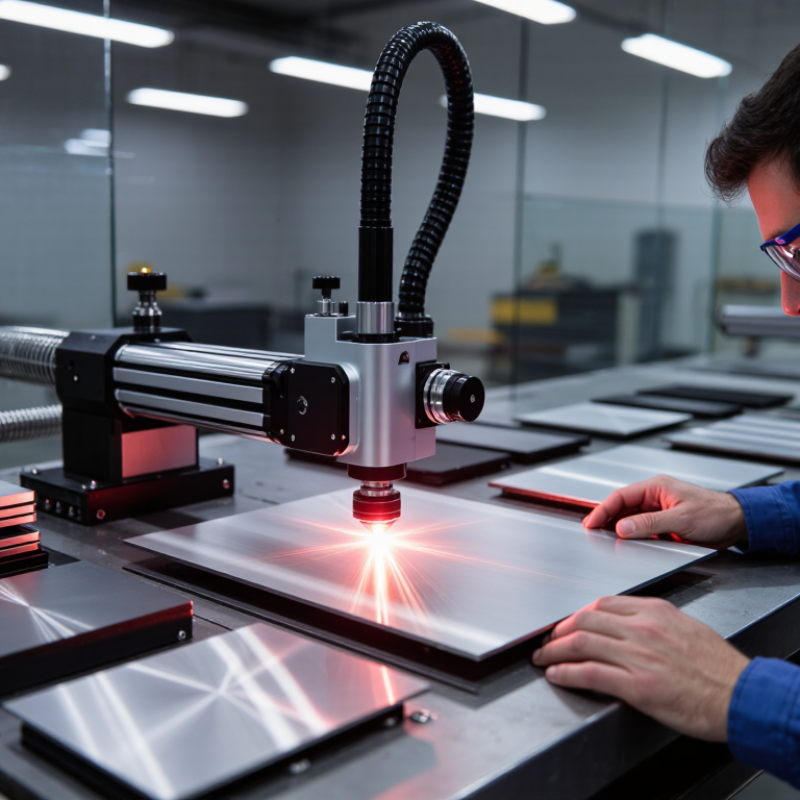
Choosing a fiber laser marking printer should begin with your production reality, not a catalog specification. Measure the materials, marking area, daily volume, and required contrast. Stainless steel, aluminum, coated parts, and engineered plastics may need different settings. Test the actual parts.
A 20-watt system may suit light identification work, while higher power can reduce cycle time on deeper marks. However, more power does not automatically mean better results. Speed is not everything. Check the lens size, focus range, galvo stability, and line quality at your normal production speed. A large marking field may improve flexibility, but it can reduce detail if the optical setup is poorly matched. Ask for sample markings using your real codes, surfaces, and inspection standards.
Production integration matters just as much as laser performance. Confirm whether the printer can connect with your existing conveyor, fixture, database, or barcode workflow. Reliable software should support user permissions, automatic parameter selection, and traceable job records. Maintenance is usually simple, yet dirty lenses and unstable fixtures can create inconsistent marks. Plan cleaning access and spare-part support before installation. That assumption can fail. A supplier’s test sample may look excellent, but your factory temperature, vibration, and operator habits may produce different results. A short on-site trial is often worth more than a polished specification sheet. Choose the system that remains accurate during ordinary shifts, not only during demonstrations.