How to Choose the Best Small Character Inkjet Printer?
Choosing among Small Character Inkjet Printers is not just a matter of comparing prices. The right machine must print clear, durable codes on your actual products, at your actual line speed. A date code that looks sharp on a sample carton may blur on a damp bottle or curved pouch.
Industry reports offer useful context. PMMI’s 2024 State of the Industry report examines packaging manufacturers’ operational pressures, including automation and workforce needs. Smithers’ packaging-market research also tracks changing production and packaging requirements. These reports help explain why reliable coding, simple operation, and integration with existing lines matter. They do not, by themselves, identify the best printer for your factory.
Start with the details operators see every shift: substrate, ink compatibility, print height, code content, washdown exposure, and available maintenance time. Then test candidate printers on your own production line. Watch for smudging, missed prints, slow changeovers, and difficult-to-clean printheads. Small checks can prevent costly surprises.
Expert quotations need careful sourcing. No verifiable statement from a named Small Character Inkjet Printers specialist was available for this introduction, so I will not invent one. That omission is worth noting: an unsupported quote can sound authoritative without helping buyers make a sound decision. Use this guide to compare real-world performance, service support, consumable costs, and ease of use—not impressive claims alone. The best choice may be less obvious than expected.
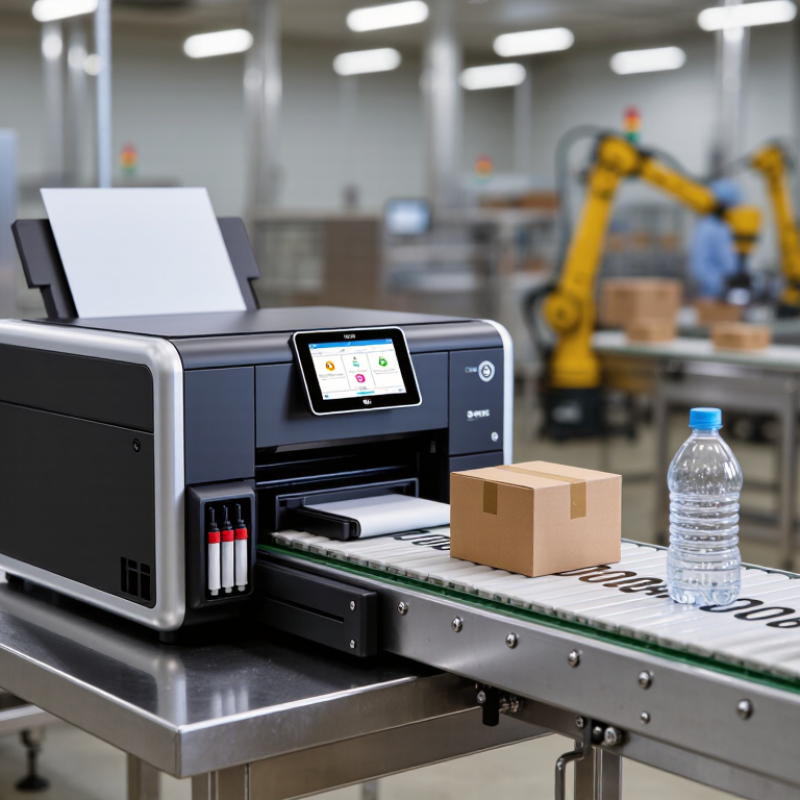
Define Coding Needs: Character Height (mm), Line Count, Substrate, and Contrast
Before comparing small-character inkjet printers, write down the smallest character height your product needs. Measure the actual mark, not the artwork on screen. A practical first trial is 2 mm text, then testing smaller sizes if space is tight. Check whether operators can read it at the normal inspection distance. Count required lines, too: one short batch code is easier than three compressed lines. Leave enough spacing for letters to remain distinct at production speed.
Substrate changes the result. Test on the real material, including curved, porous, glossy, or coated surfaces. A code that looks sharp on paper may spread on absorbent cardboard or break up on a moving plastic container. Record line speed, print distance, and drying time. Then inspect several samples, not just one. A neat sample can mislead.
Contrast needs measurement, not guesswork. Photographing a mark under bright light can hide weak edges. Compare the printed code against the substrate under normal factory lighting, and check whether it remains readable after handling. ISO/IEC 15416:2016 evaluates barcode print quality through reflectance-based measures; it is not a plain-text legibility rule, but it offers a useful contrast-testing reference. ASTM D5264 describes a rub-resistance test for printed materials, which can help assess whether handling damages the mark. Keep the limits honest: there is no single character height or contrast value that suits every surface and line speed.
Match Throughput: Compare Rated Print Speed (m/min) with Conveyor Speed
How to Choose the Best Small Character Inkjet Printer?
Match Throughput: Compare Rated Print Speed (m/min) with Conveyor Speed
A printer’s rated speed must keep pace with the conveyor, not just look impressive on a specification sheet. If your line moves at 30 m/min, check that the printer can maintain clear, readable characters at that speed. Then test its actual production message, including your longest batch code or date. Wider messages and higher print resolution may affect achievable speed. Speed is not just a number.
Compare the rated speed with the line’s fastest sustained rate, not only its average. For example, a conveyor that usually runs at 30 m/min may briefly reach 36 m/min during a production change. Test both conditions on real packages. Look closely at small text on curved bottles, dusty cartons, or damp film. A printed sample at a steady bench speed may not reflect a moving line. I would not rely on a spreadsheet alone; acceleration and short stops can complicate the picture.
Tips: Measure conveyor speed during normal production, then run a print test at its highest regular setting. Check whether characters stay sharp and evenly spaced. If line speed varies, ask whether an encoder can help the printer track movement. Keep a little operating margin, but confirm it with samples rather than guessing. A few minutes of testing can reveal a mismatch before installation.
Verify 2D Code Quality Using ISO/IEC 15415 Grades
When choosing a small character inkjet printer, test the actual 2D code on your production material. A crisp sample on paper may look different on a coated carton or curved bottle. Print at the planned line speed, then assess the symbol with a verifier suited to ISO/IEC 15415. A phone camera is useful for a quick read check, but it cannot provide a standards-based grade.
ISO/IEC 15415 evaluates 2D symbol quality through factors such as contrast, modulation, and damage to fixed patterns. The verifier reports an overall grade and parameter results, helping reveal why a code may be difficult to read. Compare samples from different print settings, including ink density and printhead distance. Keep the verification conditions consistent; otherwise, grade changes may reflect the setup, not the printer. Small details matter.
A high grade is helpful, but it does not promise reliable reading under every scanner, angle, or lighting condition. Check codes on real packages and across normal production variation. I have seen teams focus too much on one excellent sample. That is tempting. Yet a slightly imperfect code repeated consistently may be more useful than a perfect code produced only under ideal conditions. Record the grade, substrate, speed, and settings for each trial, and review borderline results before selecting a printer.
Check Environmental Protection: Compare IP54/IP65 Ratings under IEC 60529
A small-character inkjet printer may sit beside a conveyor, where dust, splashes, and routine cleaning are part of daily work. Under IEC 60529, the first IP digit describes protection from solid particles, while the second covers water. IP54 is dust-protected, but not dust-tight, and resists water splashes. IP65 is dust-tight and resists water jets under specified test conditions. Those ratings are useful, but they do not guarantee protection from every factory hazard.
Match the rating to the actual installation. A dry packaging line may need less protection than a washdown area. Check whether the rating applies to the whole printer, the control cabinet, or only the printhead; these can differ. Also ask how cables, connectors, and mounting points affect protection after installation. A jet-test rating does not automatically mean the unit is suitable for pressure washing. A higher number is not always the better choice. It may add cost without solving the real exposure.
Tips: Ask for the IEC 60529 test documentation, not just a product label. Inspect seals and cable entries during maintenance. Then compare the rating with your cleaning method and the printer’s exact location. A small detail can change the decision.
How to Choose the Best Small Character Inkjet Printer?
Environmental Protection: Compare IP54 and IP65 Ratings under IEC 60529
How to read this chart: Under IEC 60529, the first digit describes protection against solid objects and dust; the second describes protection against water. IP54 is dust-protected and protected against water splashes. IP65 is dust-tight and protected against water jets.
The digits are protection-class codes, not percentages or linear measures. Choose a printer rating that matches its installation environment and the equipment manufacturer’s specifications.
Estimate Operating Cost: Track Ink Use (mL/1,000 Codes) and Service Hours
For a small-character inkjet printer, compare ink use against saleable codes, not hours powered on. Record millilitres consumed and good codes produced during the same shift, then calculate mL per 1,000 codes. Include start-up purges, nozzle cleaning, and rejected packaging; these often disappear from tidy estimates. Small leaks matter. For example, a 500 mL bottle used for 250,000 accepted codes equals 2 mL per 1,000 codes. Repeat the check across different speeds and substrates. A glossy carton and a dusty case may not behave alike.
Service hours deserve the same discipline. Log time spent cleaning, replacing filters, clearing faults, and waiting for technical help. Separate planned work from unplanned stops, and note the fault beside each entry.
The U.S. Department of Energy’s Operations & Maintenance Best Practices Guide reports potential predictive-maintenance reductions of 25–30% in maintenance costs versus reactive maintenance, and 70–75% fewer breakdowns. These are cross-industry estimates, not printer-specific promises. Use them as a reason to track trends, not as a savings forecast.
A spreadsheet can still mislead. Check whether operators record short interventions consistently, then compare monthly cost per million accepted codes and service hours per 1,000 operating hours.

 Send Email
 18929582815
