Choosing Carbon Dioxide Laser Printers in 2026 is less about buying the highest-wattage machine and more about matching the laser to real production conditions. MarketsandMarkets’ 2023 Laser Marking Market report projected growth from approximately USD 3.0 billion in 2023 to USD 4.4 billion by 2028. That figure covers laser marking broadly, not CO₂ printers alone. It signals expanding interest, but it cannot tell you which system will suit your line.
Start with the material and the mark. CO₂ lasers commonly process non-metallic materials, including paperboard, wood, glass, and some plastics. A crisp date code on a moving carton is a different task from a durable logo on a glass bottle. PMMI’s 2024 State of the Industry report discusses automation and workforce pressures across packaging operations. For buyers, that makes integration, uptime, and operator training practical selection criteria—not optional extras. Small details matter. Conveyor speed, lens distance, extraction needs, and the location of each mark can change results.
Compare printers using your own samples and production settings. Ask vendors to demonstrate mark quality at your target line speed, then review maintenance intervals, software compatibility, service coverage, and total operating costs. Request written specifications, and verify claims against your materials. A glossy brochure is not a production test. Report estimates also vary by market definition, so treat forecasts as context rather than a purchasing shortcut. Some uncertainty remains: supplier performance and local service quality can differ even between similar models. A careful trial may feel slower, but it can expose problems before installation.
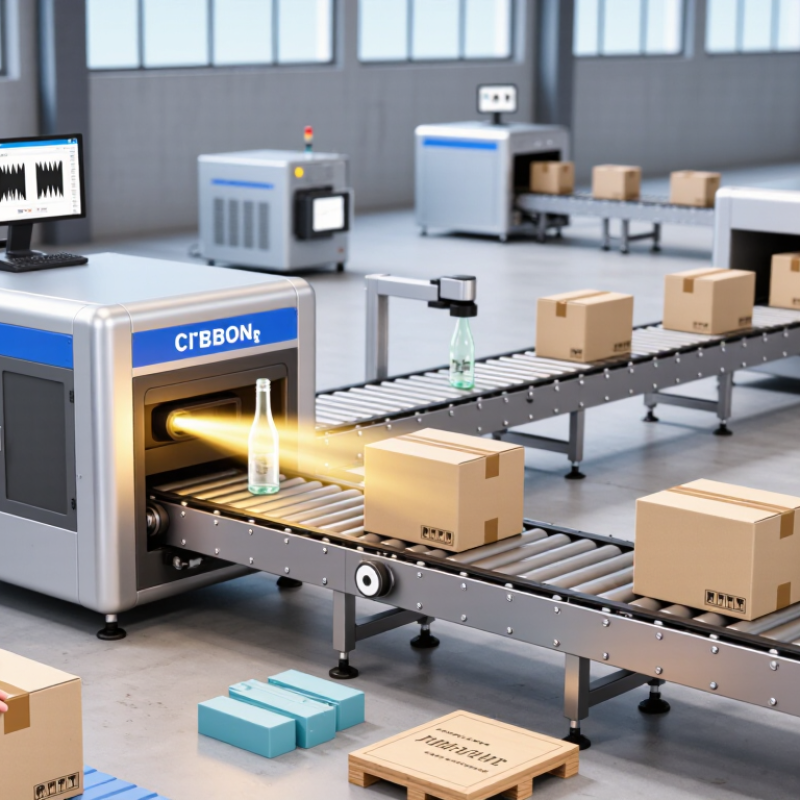
CO₂ laser printers direct an infrared beam onto a surface to create marks without ink or toner. Many systems operate near a 10.6-micrometer wavelength, which interacts well with paper, wood, acrylic, glass, and selected coated materials. The result may be a dark code, a light engraving, or a precise cut, depending on the material and settings. Bare metals are generally a poor match for standard CO₂ systems.
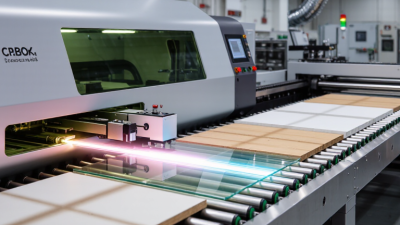
Common uses include adding dates and batch codes to cartons, printing graphics on wooden products, and engraving signs or acrylic panels. On a packaging line, a focused beam can mark moving cartons without touching them. That distinction matters. Speed, contrast, and code readability depend on the material, surface finish, and line speed—not just the laser’s rated power.
For a reliable choice, test samples made from the actual production material. Check whether marks remain legible after handling, moisture, or light abrasion. Test the actual stock. Also consider focus control, extraction, guarding, and how easily operators can maintain the system. A setting that works on clean, flat acrylic may fail on curved or dusty material. That is an easy detail to overlook, and a useful reason to run practical trials before purchasing.
Choosing a carbon dioxide laser printer in 2026 starts with the material, not the machine’s advertised speed. CO₂ lasers commonly interact well with wood, paper, leather, acrylic, and coated surfaces. Results vary by material grade, color, finish, and thickness. Clear acrylic, for example, may engrave differently from dark acrylic. Some bare metals show little contrast without a suitable coating. Check the material supplier’s guidance and the printer’s wavelength and power specifications before buying. A test sample is essential.
Tips: Ask for a sample on your exact material. Confirm the usable work area, maximum thickness, and focusing method. Review ventilation needs, too. Cutting or engraving can release irritating fumes, especially from unknown plastics. Never process a material until its composition and safety guidance are clear.
Set realistic expectations for detail and throughput. Fine text may need a smaller spot size and slower passes, while deep engraving can require multiple passes. These choices affect edge quality and production time. Keep notes on power, speed, focus, and pass count; small changes can alter the finish. I still find material labels frustratingly broad. “Wood” is not one predictable setting, so treat every new batch as a fresh test. Check for scorching, uneven edges, and residue before approving a production run.
Choosing a carbon dioxide laser printer starts with the material and the mark you need. Laser power affects how quickly a machine cuts or engraves, but higher wattage is not automatically better. Thin wood may need modest power, while thicker material can require more. Too much power can char edges or soften small details. Test real samples.
Compare speed using the same material, thickness, and artwork; advertised maximum speeds rarely tell the whole story. Resolution matters for fine text and curved graphics, but a high DPI setting cannot compensate for a large laser spot or poor focus. Check the smallest readable text and the spacing between fine lines in a sample test. Those details reveal more than a specification sheet.
The work area should fit your largest regular job, with room to position it safely. A larger bed can be useful, yet it may take up valuable floor space and still require careful alignment. Also check whether the usable area matches the stated dimensions. I would leave some margin around typical jobs; it is easy to underestimate setup space. Compare power, speed, resolution, and work area together, because optimizing one can affect the others.
Compare typical specification bands for laser power, engraving speed, resolution, and work area. These are illustrative selection ranges, not universal standards or guarantees.
Higher power can improve cutting capability, while the material, thickness, optics, and air assist also affect results. Rated maximum speed is not the same as production throughput, and a higher DPI rating does not guarantee finer usable detail. Work-area values are bed dimensions; the area chart shows the corresponding approximate bed area.
A carbon dioxide laser printer should have a fully enclosed work area and an interlock that stops the beam when its cover opens. Check that the exhaust system removes smoke and fine particles effectively, especially when processing coated materials. Ask for documented safety instructions and verify that the machine fits your workplace requirements. Small details matter. A viewing window should be designed for the laser’s wavelength, not just appear dark.
Tips: Before buying, inspect how easily you can reach the lens, mirrors, filters, and cooling components. Ask what routine cleaning involves and how often parts typically need replacement. A poorly placed filter can make simple maintenance awkward. That is easy to underestimate.
Compare total operating costs, not only the purchase price. Include electricity, ventilation, replacement optics, filters, cooling needs, and expected downtime. Request a maintenance schedule and a clear list of consumables. If the supplier cannot explain service intervals, treat the estimate cautiously. Budget for downtime. A short production delay can cost more than a replacement part, but the actual impact depends on your workload. Where possible, arrange a demonstration using materials similar to those you plan to process, then check cut or mark quality and the time needed for cleanup.
How to Choose Carbon Dioxide Laser Printers in 2026
Choosing a CO₂ Laser Printer for Your 2026 Needs
Start with the materials and the job, not the advertised power. CO₂ lasers are commonly used to mark or code many nonmetallic surfaces, but coatings and finishes can change the result. List your actual substrates, including any packaging that varies by supplier. Small details matter.
Match the working area and line speed to your production setup. Check whether the printer can handle the widest item and the busiest shift you expect. Then test representative samples for contrast, edge clarity, and cycle time. Test first. A glossy sample alone is not proof; real stock can behave differently. Keep the test settings and results for comparison.
Ask about focus adjustment, software compatibility, routine servicing, and access to replacement components. Review the enclosure, extraction needs, and safety features with qualified personnel before installation. These are operating requirements, not extras. The awkward part is that a machine that performs well in a demonstration may need tuning on your line. Allow time for that. Compare documented test results and support details, not just headline speed or wattage.
| Machine type | Typical CO₂ laser power | Typical working area | Common applications | Suitable materials | Speed and throughput considerations | Cooling and installation | Safety considerations | Best fit |
|---|---|---|---|---|---|---|---|---|
| Desktop enclosed engraver | Approximately 10–40 W | About 100 × 100 mm to 400 × 400 mm | Small-batch personalization, prototypes, labels, gifts, and light engraving or cutting. | Wood, paper, cardboard, leather, acrylic, and some coated materials. Bare metals generally cannot be directly marked by a standard CO₂ laser. | Often suitable for light-duty work and smaller designs. Actual production time depends on material, resolution, laser power, and the number of passes. | Lower-power units may use air cooling; some use water cooling. Check ventilation requirements and available workspace. | A fully enclosed, interlocked system may be designed as Class 1 during normal operation. Confirm the machine’s classification and interlock specifications. | Schools, studios, small workshops, and users prioritizing compact size and straightforward operation. |
| Enclosed galvo marking system | Commonly approximately 30–100 W | Typically about 70 × 70 mm to 300 × 300 mm, depending on the lens | Serial numbers, logos, codes, and repeatable marks on parts or product packaging. | Paper, wood, leather, glass, acrylic, and many coated or anodized surfaces; results vary by material and coating. | Galvo systems can scan rapidly, but advertised scan speed is not the same as finished-part throughput. Mark size, fill density, resolution, and handling time matter. | Cooling may be air- or water-based, depending on the source and power. Confirm electrical supply, extraction, and heat-management needs. | Enclosure, viewing window, access interlocks, and exhaust arrangements should be assessed together. Safety classification depends on the complete system. | Shops needing fast, repeatable marking over a relatively small field. |
| Flying marking system for production lines | Often approximately 10–60 W | Defined by the scan head, lens, mounting distance, and production-line layout | Marking moving products, packaging, or components on a conveyor or manufacturing line. | Commonly used on paperboard, wood, selected plastics, glass, and coated surfaces after material testing. | Line speed, product spacing, mark size, and trigger timing determine usable throughput. Test with the actual conveyor and production conditions. | Requires integration with line controls, product sensors, extraction, and suitable mounting. Cooling depends on the selected laser source. | Integrated machinery may present accessible beam hazards. Guarding, interlocks, and risk assessment must cover the complete production installation. | Manufacturers needing in-line, non-contact marking with minimal interruption to product flow. |
| Large-format gantry engraver or cutter | Commonly approximately 40–150 W; higher-power configurations are available | Often about 600 × 400 mm to 1,300 × 900 mm or larger | Sheet cutting, large artwork, signage, packaging prototypes, and batch processing of flat materials. | Wood, acrylic, paper, cardboard, leather, and other laser-compatible non-metallic sheet materials. Material composition and thickness affect results. | Work-area size supports larger sheets, but cutting speed depends on material, thickness, optics, power, and required edge quality. More power does not guarantee a better finish. | Higher-power systems commonly require water cooling and a dedicated exhaust or filtration solution. Confirm floor space and electrical requirements. | Open-frame machines may be Class 4 during operation unless appropriate guarding and enclosure are added. Use suitable extraction and fire-prevention procedures. | Sign shops, fabricators, and production teams processing larger sheets or multiple parts per job. |
| Compact CO₂ laser plotter | Approximately 30–80 W | Commonly about 300 × 200 mm to 700 × 500 mm | Engraving and cutting flat materials for small businesses, workshops, and product development. | Wood, acrylic, paper, cardboard, leather, and selected plastics specifically confirmed as laser-safe. | Gantry motion supports varied designs and larger workpieces than many desktop units. Compare sustained operating speed and repeatability, not just peak speed. | Usually needs a stable work surface, exhaust ducting or filtration, and cooling suited to the laser source. | Check enclosure coverage, lid interlocks, emergency stop, exhaust monitoring, and the machine’s documented laser classification. | Users seeking a balance between working area, versatility, and workshop-scale production. |
| Selection note: The ranges shown are indicative of common machine configurations, not specifications for a particular product. Available power, work area, speed, cooling, and safety classification vary by system. Before purchasing, verify the manufacturer’s current technical documentation, test the intended material, confirm ventilation and electrical requirements, and check applicable local laser-safety rules. Do not laser-cut PVC or unidentified plastics, which can release hazardous gases. | ||||||||