How to Choose Small Character Inkjet Printers?
Choosing Small Character Inkjet Printers is not a simple matter of comparing prices or print speeds. The right machine must match the product, production line, ink, and working environment. A clear code on a dusty carton may require different technology from a fine date mark on a glossy bottle.
As coding specialist Nick Ball has said, “A reliable code is part of product quality, not an afterthought.” This principle should guide every purchasing decision. Buyers need to examine print quality, nozzle performance, ink compatibility, maintenance access, and operator training. A printer that looks impressive in a demonstration may perform differently during a twelve-hour production shift.
Real conditions matter.
This guide explains how to assess Small Character Inkjet Printers through practical testing and technical evidence. It considers line speed, character height, contrast, drying time, solvent handling, and environmental exposure. Total ownership cost also deserves attention, including ink use, scheduled servicing, downtime, and replacement parts. These details are easy to overlook.
Some assumptions may prove wrong. A cheaper printer may consume more ink. A faster printer may produce unstable codes on curved surfaces. Even experienced teams can choose poorly when they test only clean samples in a quiet showroom. Therefore, reliable selection requires production-line trials, measurable acceptance standards, and feedback from actual operators. The best choice is not always the newest model. It is the printer that delivers readable, consistent codes with manageable daily effort.
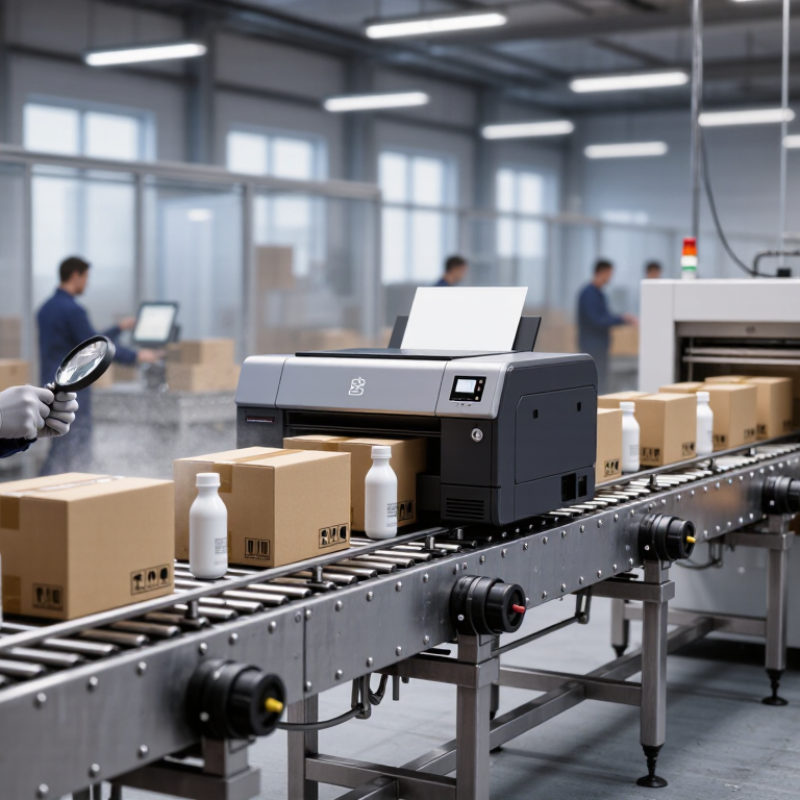
Define Print Requirements: 0.8–15 mm Characters and 1–5 Lines
Choosing a small character inkjet printer starts with the print requirement, not the machine’s advertised speed. Define character height between 0.8 and 15 mm. Confirm whether the code needs one, two, or up to five lines. A 0.8 mm date code behaves very differently from a bold 15 mm batch mark.
The print surface matters. Plastic caps, coated cartons, metal parts, and flexible film can reject ink differently. Record line speed, conveyor vibration, print distance, and drying time. Then test the smallest characters at the fastest realistic speed. They must remain readable after handling. The Global Coding and Marking Equipment Market was valued at about USD 1.78 billion in 2023, with Grand View Research projecting a 5.2% compound annual growth rate through 2030. This growth reflects wider demand for traceability and variable information.
Line count also affects stability. Five short lines may need different spacing than one large line. Check the controller’s font range, message memory, and automatic ink management. Keep the operator’s daily routine simple. That detail is often underestimated. A clean specification is rarely perfect. I would still test three samples from every intended material, because laboratory results can look better than production reality. Use an independent readability check, such as ISO/IEC 15415 for two-dimensional codes when applicable, and retain dated test records for future verification.
Small Character Inkjet Printer Requirements
The chart defines the target print envelope: character heights from 0.8 to 15 mm across applications requiring 1 to 5 printed lines. Use these limits to compare printer specifications before selection.
Reference range: minimum character height = 0.8 mm; maximum character height = 15 mm; required line count = 1–5 lines.
Match Conveyor Throughput: Evaluate Printing Speeds up to 7.6 m/s
Choosing a small character inkjet printer starts with conveyor throughput, not catalog claims. A line running at 7.6 m/s moves 456 meters per minute. That speed leaves little time for ink droplets to form, travel, and land accurately. The printer must match the actual production rate, including acceleration, gaps, and product spacing.
Smithers’ report, The Future of Global Printing to 2028, identifies digital and variable-data printing as continuing growth areas. Its findings support a practical point: production flexibility increasingly depends on reliable, high-speed data handling. Meanwhile, PMMI reports that packaging manufacturers continue prioritizing uptime, integration, and reduced unplanned stoppages. For a fast conveyor, check the printer’s rated speed at your required font height, line count, and print resolution. A headline speed can be misleading.
Real production is messier. Dust, vibration, curved surfaces, and uneven spacing can reduce effective performance. I would test at least 10% above the normal conveyor speed, then inspect every character under running conditions. That margin is my recommendation, not a universal rule. Some lines need more. Ask for measured samples from your substrate, not a showroom demonstration. Also verify encoder compatibility, message-switching time, nozzle recovery, and maintenance intervals. A printer may reach 7.6 m/s, yet fail your line if data arrives late or characters blur during acceleration.
Compare Code Quality Using 5×5, 7×5, and 16×10 Dot Fonts
How to Choose Small Character Inkjet Printers?
When choosing a small character inkjet printer, compare dot fonts on your actual production surface. Font size alone can mislead. A 5×5 font uses fewer dots, so it prints quickly and fits narrow spaces. However, letters may look weak on dark, curved, or porous materials. It suits simple codes, basic dates, and short identification marks.
A 7×5 font offers a practical balance between speed and readability. Characters usually have stronger strokes and better recognition under uneven lighting. A 16×10 font creates more detailed numbers, symbols, and two-dimensional code elements. It needs more space and may require precise alignment. I have found that higher dot density does not always produce better results. Ink spread, conveyor speed, nozzle condition, and surface texture can change the final code. Small tests remain essential.
Tips: Print all three fonts on the real package. Check them from one meter away. Rub the surface lightly after drying. Review codes under bright and dim lighting. Measure the smallest readable character, not only the tallest one. Keep a sample sheet for future quality checks. Also test after routine cleaning, because a partly blocked nozzle can make a 16×10 code look detailed but incomplete. That detail is easy to overlook.
Verify IP55/IP65 Protection for Dust, Moisture, and Washdown Areas
When choosing a small character inkjet printer, inspect its IP rating before comparing speed or print resolution. IP55 means the enclosure is protected against harmful dust deposits and low-pressure water jets. IP65 provides complete dust protection and resistance to low-pressure water jets from multiple directions. These ratings matter near filling lines, damp packaging rooms, and dusty production floors.
Look beyond the rating plate. Confirm whether IP55 or IP65 covers the complete printer, including cable glands, control panels, ink compartments, and printhead connections. A protected cabinet cannot compensate for an exposed connector. Ask for test documentation based on IEC 60529, not only a sales statement. The installation position also matters. Water can collect beneath a poorly mounted unit.
Washdown conditions need closer judgment. IP65 may suit routine spray cleaning, but it does not automatically permit immersion, hot water, strong detergents, or high-pressure cleaning. Check the actual water pressure, temperature, chemical exposure, and cleaning distance with the supplier’s technical team. I have seen equipment survive ordinary moisture but fail after repeated chemical contact. The rating was correct; the application review was incomplete.
Leave room for mistakes. During a site inspection, observe dust buildup around ventilation points and moisture near doors. Test the printer after cleaning, not only before it. Choose corrosion-resistant mounting hardware, sealed connectors, and an enclosure that operators can close properly. A forgotten latch can defeat good protection.
Calculate Total Cost Through Ink Use, Uptime, and Maintenance Intervals
How to Choose Small Character Inkjet Printers?
The purchase price rarely shows the real cost of a small character inkjet printer. Calculate ink use per printed character, not per cartridge alone. A production trial can reveal the difference.
Print 10,000 containers using the intended font, line count, and message length. Record the ink consumed and divide the result by the output volume. A longer message may increase daily costs more than expected.
Uptime also changes the calculation. A printer that stops for twenty minutes can delay filling, labeling, and packing. Measure startup time, printhead cleaning time, and recovery after an interruption.
In one factory test, a machine with lower ink consumption lost its advantage during frequent restarts. That result was uncomfortable, but useful. Ask for realistic uptime data under dust, vibration, temperature changes, and shift work. Laboratory figures may not match the factory floor.
Maintenance intervals deserve equal attention. Check how often filters, seals, and fluid systems require inspection or replacement. Include technician time, cleaning materials, spare parts, and planned stoppages in the annual estimate.
A simple spreadsheet can compare ink cost, lost production, and maintenance hours over three years. Leave room for uncertainty. Operators may use more solvent than planned, especially during rushed changeovers. Hands-on trials, clear service records, and measurable operating data provide stronger evidence than a low purchase price.



 Send Email
 18929582815